Use Cases

Product

The Most Realistic Office Space Calculator

Calculate now how much office space your team really needs based on actual occupancy instead of outdated rules of thumb.

How much office space do you need?

Enter your details & calculate your result

115
0050
0030
0020

Would you like to immediately realize your savings through desk sharing?

Then schedule a demo now via the website of anny.
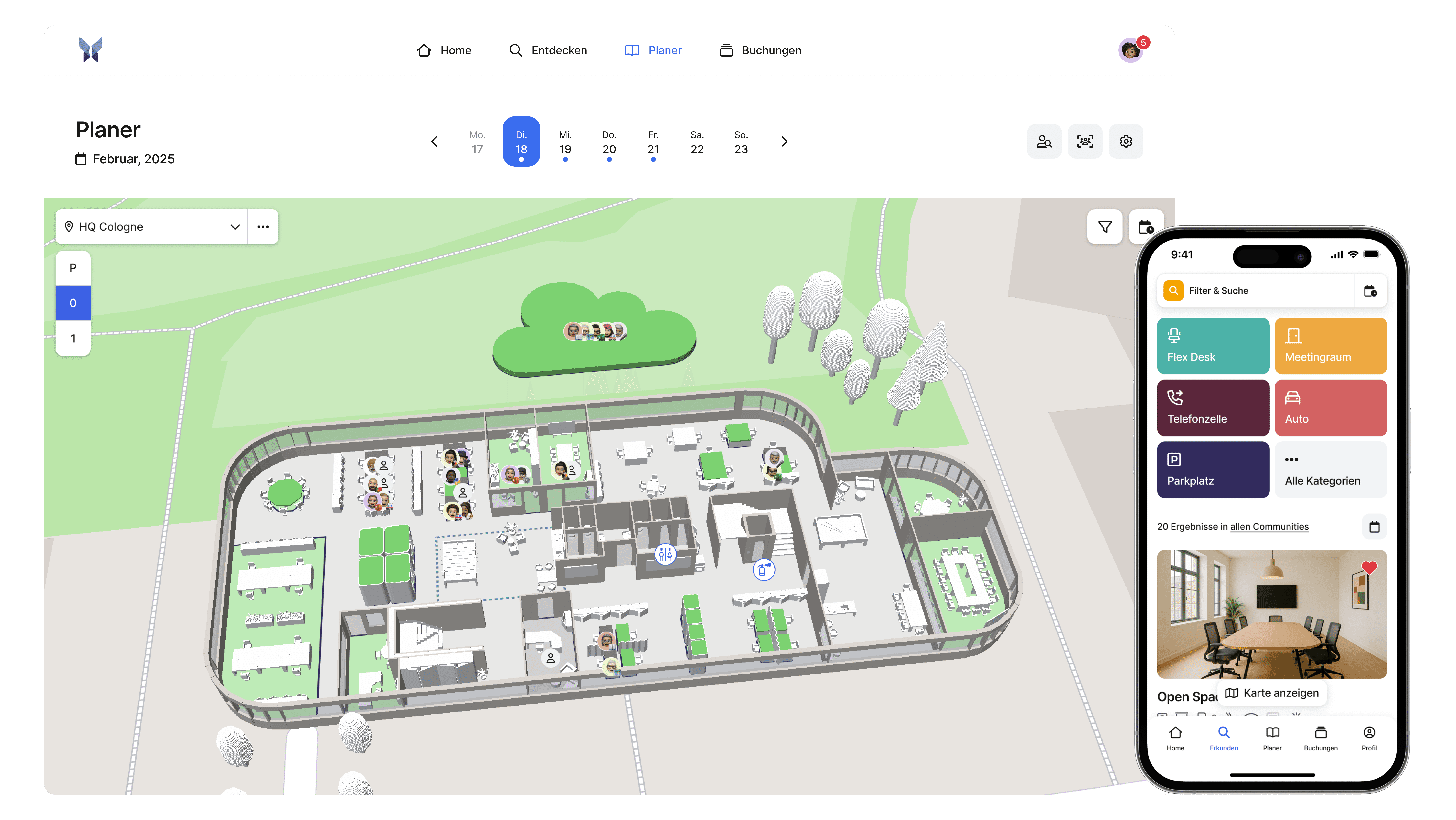
Effortlessly book workspaces and rooms

With anny, your team can easily plan their office days together, coordinate more effectively, and enhance collaboration in a hybrid work environment.

Smart insights for your long-term planning

With clear data on bookings, attendance, and usage, you can identify patterns and continuously enhance your office concept.

Book your personal demo now at anny.co/contact

How does anny calculate the office space?

Our calculator determines the office space based on the actual usage of a hybrid team. Instead of directly adopting the number of employees, it calculates the demand on the most frequented day, including peak days and a safety margin, as well as the average office days per person. This results in the required number of workstations, for which established space standards and an allowance for circulation areas are applied. This yields a realistic office space that considers modern work methods and actual usage peaks.

→ Office Space = Occupancy × Workplace Demand (Employees:Office Days) × Space Standards × Safety Margin

Make the Most of Your Result, How to Leverage Your Floor Space Value

The result from the office space calculator is the perfect starting point. Discover how to derive concrete decisions for planning, budgeting, and workspace strategy from it.
The Importance of Your Space Size

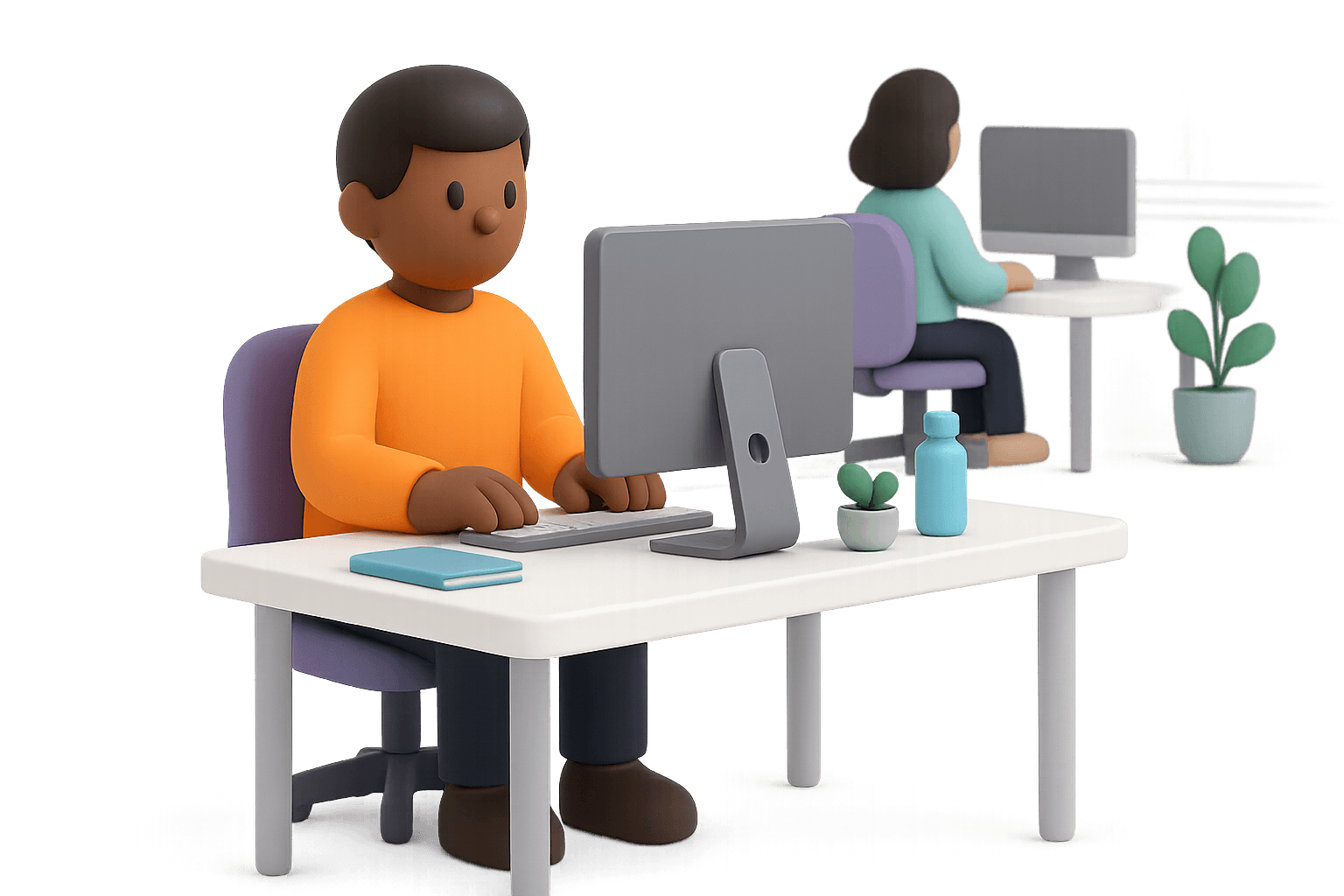
The determined area size shows you whether your office fits the work style of your company and whether you have planned too much, too little, or just right.

Discover Savings Opportunities

Translate your area value into clear savings measures, such as reduced operational costs and smarter resource utilization.

Transform your office space into a well-thought-out office concept

With anny, you can directly implement your planning outcome: organize workspaces digitally, optimize space utilization, and effortlessly coordinate hybrid teams.

Effortlessly book workspaces and rooms

With anny, your team can easily plan their office days together, coordinate more effectively, and enhance collaboration in a hybrid work environment.

Smart insights for your long-term planning

With clear data on bookings, attendance, and usage, you can identify patterns and continuously enhance your office concept.
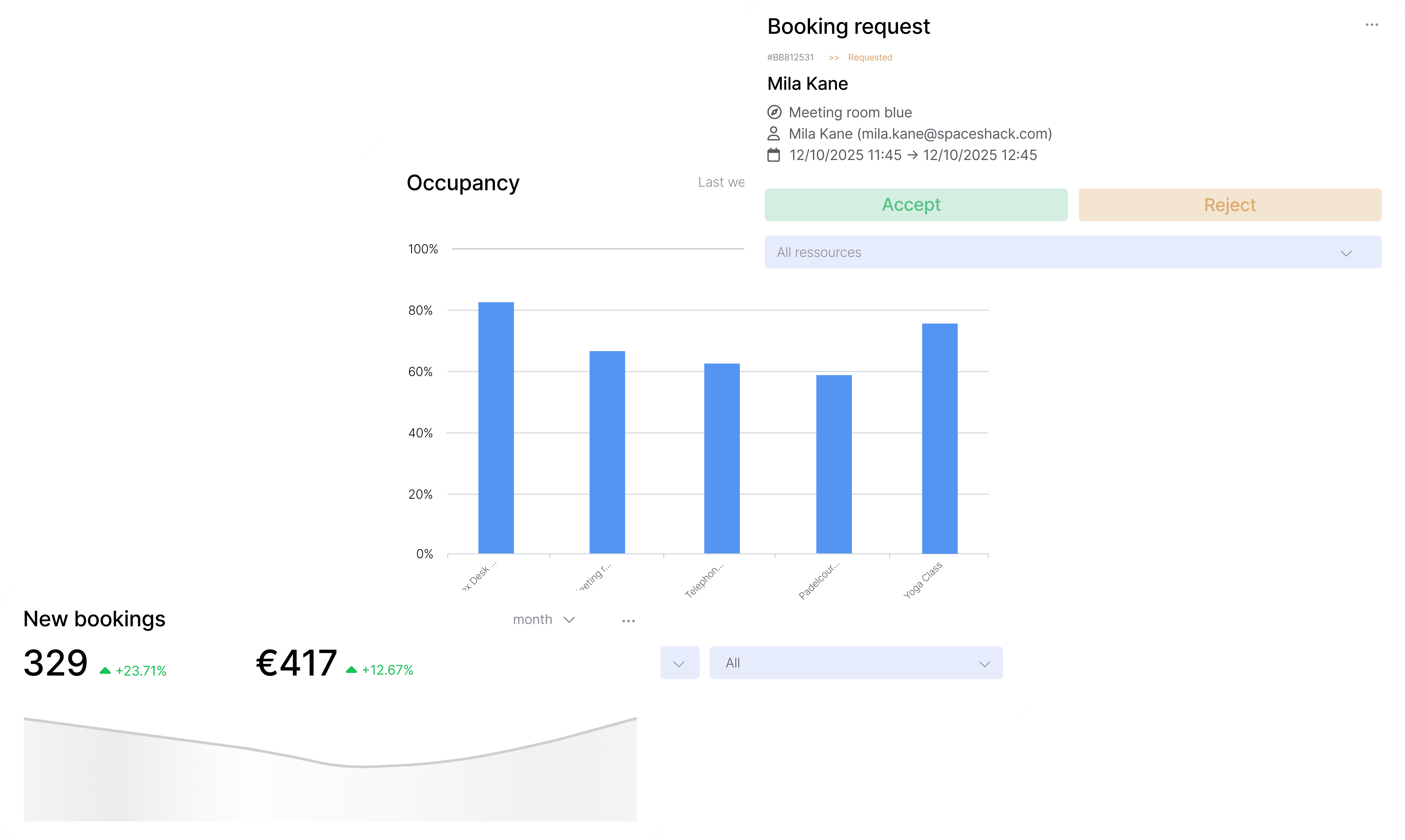
Dashboard screenshots from anny

More than 1,000 companies worldwide trust anny

anny is customisable for any business size and simplifies the workday in every industry. Currently, anny is used in over 36 industries.

Nio makes it's hybrid office bookable with anny
MaibornWolff relies on anny for Visitor Management and Desk Sharing.
Flexible workplace booking via anny at the Federal Ministry of the Interior
Samsung uses anny for internal and external room booking
Zurich Insurance relies on anny for modern workspace management and desk sharing.
DeepL relies on anny in the area of desk sharing.
Rimowa uses the all-in-one booking system for workspace management by anny
Volksbank books its workplaces and rooms through anny
Metro uses anny for workplace booking
Nio macht sein hybrides Büro mit anny buchbar
KoRo uses anny for desk booking
Atruvia uses anny for Workplace Management

4.5 stars | 70 reviews

4.7 stars | 29 reviews

More than 1,000 companies worldwide trust anny

anny is customisable for any business size and simplifies the workday in every industry. Currently, anny is used in over 36 industries.

Nio makes it's hybrid office bookable with anny
MaibornWolff relies on anny for Visitor Management and Desk Sharing.
Flexible workplace booking via anny at the Federal Ministry of the Interior
Samsung uses anny for internal and external room booking
Zurich Insurance relies on anny for modern workspace management and desk sharing.
DeepL relies on anny in the area of desk sharing.
Rimowa uses the all-in-one booking system for workspace management by anny
Volksbank books its workplaces and rooms through anny
Metro uses anny for workplace booking
Nio macht sein hybrides Büro mit anny buchbar
KoRo uses anny for desk booking
Atruvia uses anny for Workplace Management

4.5 stars | 70 reviews

4.7 stars | 29 reviews

More than 1,000 companies worldwide trust anny

anny is customisable for any business size and simplifies the workday in every industry. Currently, anny is used in over 36 industries.

Nio makes it's hybrid office bookable with anny
MaibornWolff relies on anny for Visitor Management and Desk Sharing.
Flexible workplace booking via anny at the Federal Ministry of the Interior
Samsung uses anny for internal and external room booking
Zurich Insurance relies on anny for modern workspace management and desk sharing.
DeepL relies on anny in the area of desk sharing.
Rimowa uses the all-in-one booking system for workspace management by anny
Volksbank books its workplaces and rooms through anny
Metro uses anny for workplace booking
Nio macht sein hybrides Büro mit anny buchbar
KoRo uses anny for desk booking
Atruvia uses anny for Workplace Management

4.5 stars | 70 reviews

4.7 stars | 29 reviews

FAQ

Everything you need to know

If you have any further questions, contact us.

Why is our office space calculator by anny the most realistic?

Because it uniquely combines traditional space benchmarks with a scientifically-grounded utilization model. Instead of relying solely on headcount, the calculator considers: genuine hybrid work patterns, daily peaks and fluctuations in occupancy, and a realistic safety margin. This results in not just a theoretical ideal, but a practical office space that aligns with actual usage behaviors, making it substantially more precise than conventional rule-of-thumb formulas.

How does desk sharing impact the calculation of required office space?

Desk sharing directly impacts the calculation of office space, as flexible workstation usage requires fewer fixed desks. The office space calculator takes into account occupancy levels and the number of staff present at the same time to determine the optimal space requirements. This enables cost reductions and more efficient use of office space, which is particularly advantageous for hybrid work models.

When should I use the office space calculator by anny?

Whenever you need a quick and reliable assessment of how much office space your team truly requires, especially in hybrid work models. The calculator assists you with: - Planning a new office - Optimizing space or relocating - Introducing flex-desks - Evaluating if your current space is being used efficiently - Budgeting and rental decisions In short: Use the calculator whenever you need a solid, realistic foundation for your office or workplace planning.

What does Desk Sharing mean?

Desk sharing is a flexible workspace model where multiple employees share a desk. This approach reduces the required office space and optimizes the utilization of workstations effectively.

How many square meters of office space should I allocate per employee?

Typical benchmarks range between 6-12sqm. anny's office space calculator is based on 10sqm. This area is automatically taken into account in the overall calculation, based on your input.

How can I easily calculate office space online?

With the anny office space calculator, you can easily enter your values online without any expertise or complicated formulas. The tool automatically calculates your total requirements and helps you plan your office efficiently and cost-effectively.

How do I calculate office space for hybrid working?

In hybrid work settings, office space is determined not by the total number of employees but by actual usage. Initially, it calculates how many people are in the office on an average peak day—based on office days per employee and typical weekly attendance patterns. From this real demand for office spaces, the necessary areas for workstations, meeting rooms, and communal spaces are derived, complemented by a standard share for traffic areas. This creates a space that aligns with actual usage patterns, making it more realistic and efficient than traditional calculations.

Why should I use an office space calculator?

An office space calculator helps you avoid over- or under-planning for office spaces. Especially in hybrid work models, it's important to understand how many people are typically in the office at the same time. With the anny office space calculator, you'll receive a well-informed recommendation that saves you money and provides planning security.

How does the office space calculator determine the office space needed?

The calculator combines spatial guidelines from office planning with a scientifically grounded utilization model for hybrid work. 1. Workstations & Utilization The number of required workstations is not directly derived from the number of employees but is calculated using a realistic utilization model. Considerations include: average office days per person, daily attendance factors (higher utilization Tu–Th, lower on Mo/Fr -> factor 1.4), and a 10% safety margin. Based on the peak day, the actual number of required flexible workstations is determined, forming the basis for spatial planning. 2. Spatial Guidelines For the determined number of workstations and rooms, the calculator uses established planning standards: Desk area per person: 10 sq m; Meeting rooms: 4–8 people: 18 sq m; 10–16 people: 30–40 sq m; Communal areas: approx. 40 sq m 3. Circulation Areas A flat rate of 40% is added to all usable areas for pathways, corridors, and access. Result: From utilization × workstation demand × spatial guidelines x safety margin emerges a realistic office space that considers modern hybrid working methods and actual peak usage.

Why is our office space calculator by anny the most realistic?

Because it uniquely combines traditional space benchmarks with a scientifically-grounded utilization model. Instead of relying solely on headcount, the calculator considers: genuine hybrid work patterns, daily peaks and fluctuations in occupancy, and a realistic safety margin. This results in not just a theoretical ideal, but a practical office space that aligns with actual usage behaviors, making it substantially more precise than conventional rule-of-thumb formulas.

How does desk sharing impact the calculation of required office space?

Desk sharing directly impacts the calculation of office space, as flexible workstation usage requires fewer fixed desks. The office space calculator takes into account occupancy levels and the number of staff present at the same time to determine the optimal space requirements. This enables cost reductions and more efficient use of office space, which is particularly advantageous for hybrid work models.

When should I use the office space calculator by anny?

Whenever you need a quick and reliable assessment of how much office space your team truly requires, especially in hybrid work models. The calculator assists you with: - Planning a new office - Optimizing space or relocating - Introducing flex-desks - Evaluating if your current space is being used efficiently - Budgeting and rental decisions In short: Use the calculator whenever you need a solid, realistic foundation for your office or workplace planning.

What does Desk Sharing mean?

Desk sharing is a flexible workspace model where multiple employees share a desk. This approach reduces the required office space and optimizes the utilization of workstations effectively.

How many square meters of office space should I allocate per employee?

Typical benchmarks range between 6-12sqm. anny's office space calculator is based on 10sqm. This area is automatically taken into account in the overall calculation, based on your input.

How can I easily calculate office space online?

With the anny office space calculator, you can easily enter your values online without any expertise or complicated formulas. The tool automatically calculates your total requirements and helps you plan your office efficiently and cost-effectively.

How do I calculate office space for hybrid working?

In hybrid work settings, office space is determined not by the total number of employees but by actual usage. Initially, it calculates how many people are in the office on an average peak day—based on office days per employee and typical weekly attendance patterns. From this real demand for office spaces, the necessary areas for workstations, meeting rooms, and communal spaces are derived, complemented by a standard share for traffic areas. This creates a space that aligns with actual usage patterns, making it more realistic and efficient than traditional calculations.

Why should I use an office space calculator?

An office space calculator helps you avoid over- or under-planning for office spaces. Especially in hybrid work models, it's important to understand how many people are typically in the office at the same time. With the anny office space calculator, you'll receive a well-informed recommendation that saves you money and provides planning security.

How does the office space calculator determine the office space needed?

The calculator combines spatial guidelines from office planning with a scientifically grounded utilization model for hybrid work. 1. Workstations & Utilization The number of required workstations is not directly derived from the number of employees but is calculated using a realistic utilization model. Considerations include: average office days per person, daily attendance factors (higher utilization Tu–Th, lower on Mo/Fr -> factor 1.4), and a 10% safety margin. Based on the peak day, the actual number of required flexible workstations is determined, forming the basis for spatial planning. 2. Spatial Guidelines For the determined number of workstations and rooms, the calculator uses established planning standards: Desk area per person: 10 sq m; Meeting rooms: 4–8 people: 18 sq m; 10–16 people: 30–40 sq m; Communal areas: approx. 40 sq m 3. Circulation Areas A flat rate of 40% is added to all usable areas for pathways, corridors, and access. Result: From utilization × workstation demand × spatial guidelines x safety margin emerges a realistic office space that considers modern hybrid working methods and actual peak usage.

Why is our office space calculator by anny the most realistic?

Because it uniquely combines traditional space benchmarks with a scientifically-grounded utilization model. Instead of relying solely on headcount, the calculator considers: genuine hybrid work patterns, daily peaks and fluctuations in occupancy, and a realistic safety margin. This results in not just a theoretical ideal, but a practical office space that aligns with actual usage behaviors, making it substantially more precise than conventional rule-of-thumb formulas.

How does desk sharing impact the calculation of required office space?

Desk sharing directly impacts the calculation of office space, as flexible workstation usage requires fewer fixed desks. The office space calculator takes into account occupancy levels and the number of staff present at the same time to determine the optimal space requirements. This enables cost reductions and more efficient use of office space, which is particularly advantageous for hybrid work models.

When should I use the office space calculator by anny?

Whenever you need a quick and reliable assessment of how much office space your team truly requires, especially in hybrid work models. The calculator assists you with: - Planning a new office - Optimizing space or relocating - Introducing flex-desks - Evaluating if your current space is being used efficiently - Budgeting and rental decisions In short: Use the calculator whenever you need a solid, realistic foundation for your office or workplace planning.

What does Desk Sharing mean?

Desk sharing is a flexible workspace model where multiple employees share a desk. This approach reduces the required office space and optimizes the utilization of workstations effectively.

How many square meters of office space should I allocate per employee?

Typical benchmarks range between 6-12sqm. anny's office space calculator is based on 10sqm. This area is automatically taken into account in the overall calculation, based on your input.

How can I easily calculate office space online?

With the anny office space calculator, you can easily enter your values online without any expertise or complicated formulas. The tool automatically calculates your total requirements and helps you plan your office efficiently and cost-effectively.

How do I calculate office space for hybrid working?

In hybrid work settings, office space is determined not by the total number of employees but by actual usage. Initially, it calculates how many people are in the office on an average peak day—based on office days per employee and typical weekly attendance patterns. From this real demand for office spaces, the necessary areas for workstations, meeting rooms, and communal spaces are derived, complemented by a standard share for traffic areas. This creates a space that aligns with actual usage patterns, making it more realistic and efficient than traditional calculations.

Why should I use an office space calculator?

An office space calculator helps you avoid over- or under-planning for office spaces. Especially in hybrid work models, it's important to understand how many people are typically in the office at the same time. With the anny office space calculator, you'll receive a well-informed recommendation that saves you money and provides planning security.

How does the office space calculator determine the office space needed?

The calculator combines spatial guidelines from office planning with a scientifically grounded utilization model for hybrid work. 1. Workstations & Utilization The number of required workstations is not directly derived from the number of employees but is calculated using a realistic utilization model. Considerations include: average office days per person, daily attendance factors (higher utilization Tu–Th, lower on Mo/Fr -> factor 1.4), and a 10% safety margin. Based on the peak day, the actual number of required flexible workstations is determined, forming the basis for spatial planning. 2. Spatial Guidelines For the determined number of workstations and rooms, the calculator uses established planning standards: Desk area per person: 10 sq m; Meeting rooms: 4–8 people: 18 sq m; 10–16 people: 30–40 sq m; Communal areas: approx. 40 sq m 3. Circulation Areas A flat rate of 40% is added to all usable areas for pathways, corridors, and access. Result: From utilization × workstation demand × spatial guidelines x safety margin emerges a realistic office space that considers modern hybrid working methods and actual peak usage.

Empowering the world to share resources

Anny ist auf der Bewertungsplattform OMR Reviews für das Q2 2025 in der Kategorie Workplace Management Top Rated
anny ist Winter 2026 G2 Grid Leader
anny ist Fall 2025 Europa High Performer bei G2
anny US Inc. 2025
App Store Download for Room Management
Download from Google Play for Room Management

Empowering the world to share resources

Anny ist auf der Bewertungsplattform OMR Reviews für das Q2 2025 in der Kategorie Workplace Management Top Rated
anny ist Winter 2026 G2 Grid Leader
anny ist Fall 2025 Europa High Performer bei G2
anny US Inc. 2025
App Store Download for Room Management
Download from Google Play for Room Management

Empowering the world to share resources

Anny ist auf der Bewertungsplattform OMR Reviews für das Q2 2025 in der Kategorie Workplace Management Top Rated
anny ist Winter 2026 G2 Grid Leader
anny ist Fall 2025 Europa High Performer bei G2
anny US Inc. 2025
App Store Download for Room Management
Download from Google Play for Room Management