


October 2, 2025
Introducing Desk Booking Software: 7 Common Mistakes to Avoid
3 min
Key Insights
Introducing desk booking software often sounds simpler than it actually is, but experience shows: Many projects fail within the first six months because employees do not adopt the system. The main reasons are almost always the same: lack of communication, insufficient change management, and overly complex user interfaces.
If the software is not intuitive to use, acceptance drops dramatically. At the same time, resistance occurs if employees are not involved in the process from the start or if it remains unclear why desk booking is being introduced.
Successful implementations are characterized by a clear roadmap: a structured 3-phase model with pilot projects, targeted training, and continuous optimization. Equally crucial: the right software selection and the early involvement of key stakeholders. Only in this way will desk booking be accepted in the long term—and unleash its full potential for efficiency and employee satisfaction.
Why Introducing Desk Booking Software is Critical
The introduction of desk booking software is more than an IT project; it transforms how employees work daily. Therefore, this step determines whether the entire desk-sharing concept is accepted or fails.
For companies, it's about more than just the license costs: a failed implementation can result in office spaces continuing to be used inefficiently, teams losing their flexibility, and the investment going to waste. At the same time, the pressure on office managers, HR managers, and others increases to not only get the software up and running technically but also to embed it organizationally in the right way.
Especially in this phase, it becomes evident how closely technology, culture, and change management are interconnected. Making mistakes here risks not only unused software but also decreased employee satisfaction and internal resistance.
To prevent this, we will next take a look at the seven most common mistakes in introducing desk booking software and how you can avoid them from the start.
The 7 Most Common Mistakes When Implementing Desk Booking Software
Error 1: Inadequate Needs Analysis and Goal Setting
Without clear analysis and realistic goals, almost every project fails. Many companies underestimate the effort and plan away from the actual needs.
Common Problems:
No measurement of current office occupancy
Different team requirements are ignored
Unclear decision: Hot Desking, Assigned Seating, or Hybrid?
Overestimating potential savings
How to do it better:
Conduct workplace observations over several weeks
Survey employees on needs and preferences
Define measurable goals (e.g., occupancy +20%, costs -15%)
Incorporate hybrid work models and remote work
Error 2: Insufficient Stakeholder Engagement
When key stakeholders are involved too late, support and acceptance are lacking. Particularly the works council, data protection, and management are critical.
Common Problems:
The works council or data protection are informed only at the end
Managers do not exemplify the model
Location-specific differences are ignored
No clear communication of cultural change
How to do it better:
Form an interdisciplinary project team (IT, HR, FM, works council, management)
Regularly communicate goals and progress
Conduct workshops & info sessions
Use “Change Agents” as multipliers within teams
Error 3: Wrong Software Selection
The wrong solution is one of the most common reasons for frustration. Price alone is not a decision criterion – lack of integration or complex operation kills acceptance.
Common Problems:
No mobile use for hybrid teams
Missing interfaces (calendars, access systems)
No scalability for multiple locations
Weak data protection or missing GDPR compliance
How to do it better:
Select an intuitive, mobile-optimized solution
Ensure seamless integration with Microsoft 365 or Google Workspace
Check scalability and adaptability
Ensure the software is GDPR-compliant
Error 4: Neglecting Change Management
Technology alone is not enough – if employees are not engaged, they will stick to the old system.
Common Problems:
Benefits and opportunities are not communicated
Emotional aspects (loss of personal space) are ignored
No Change Agents in use
Privacy concerns remain unaddressed
How to do it better:
Use a proven model like ADKAR for change processes
Communicate openly and transparently – even about sensitive issues
Provide training and support
Establish feedback channels and respond promptly
Error 5: Incomplete Training and Lack of Support
One-time training is not enough. Different digital competencies require continuous training.
Common Problems:
Functions are not understood
Support is missing during the critical phase
Different user groups (e.g., management vs. teams) are not considered
No refresh leads to declining usage
How to do it better:
Plan multi-level training for different target groups
Provide easily accessible guides & FAQs
Offer active support in the first few months
Organize regular refresh sessions
Error 6: Missing Pilot Phase and Gradual Introduction
A big bang rollout carries a high risk. Without a test run, errors creep in that are difficult to correct later.
Common Problems:
IT and support are overwhelmed
Undiscovered conflicts and inefficiencies
Rules do not fit practice
Employees feel blindsided
How to do it better:
Start with representative teams or locations
Actively collect feedback and document lessons learned
Adjust processes and rules before the rollout
Share successes and optimizations with everyone
Error 7: No Success Measurement and Optimization
Without KPIs and continuous adjustment, the system lags behind its potential.
Common Problems:
No user feedback after introduction
No analysis of booking patterns and occupancy
Office layouts are not adjusted
Successes are not communicated
How to do it better:
Define KPIs such as usage rate, occupancy, satisfaction
Use analytics tools for regular evaluation
Continuously collect feedback
Share improvements visibly within the company
FAQ – Frequently Asked Questions About Implementing Desk Booking Software
How long does it take to implement desk booking software?
The duration varies depending on company size and complexity. With anny, implementation is possible within just a few days—learn more here.
How do you get employees on board with desk sharing?
Acceptance can be significantly increased through transparent communication, early involvement, hands-on training, and the use of "change agents."
What role does change management play in the implementation?
Change management is crucial for reducing anxieties, engaging employees, and ensuring long-term, successful adoption of the software.
How do I choose the right desk booking software?
Look for user-friendliness, integration with existing systems, mobile accessibility, data privacy compliance, and scalability. For a detailed comparison of different desk booking software options, click here.
How do I measure the success of the implementation?
Define KPIs such as adoption rate, occupancy, employee satisfaction, and ROI. Make use of the software's analytics features and gather feedback regularly.
Conclusion: Achieve a secure and successful Desk Booking Software implementation with anny.
By avoiding the 7 mistakes highlighted above, you will massively boost the adoption of your desk booking software and ensure your investment truly pays off. With clear planning, open communication, and continuous optimization, desk sharing won't feel like a chore, but rather a fantastic opportunity for modern, flexible working.
Choosing the right software is key to this success—and that's where anny comes in!
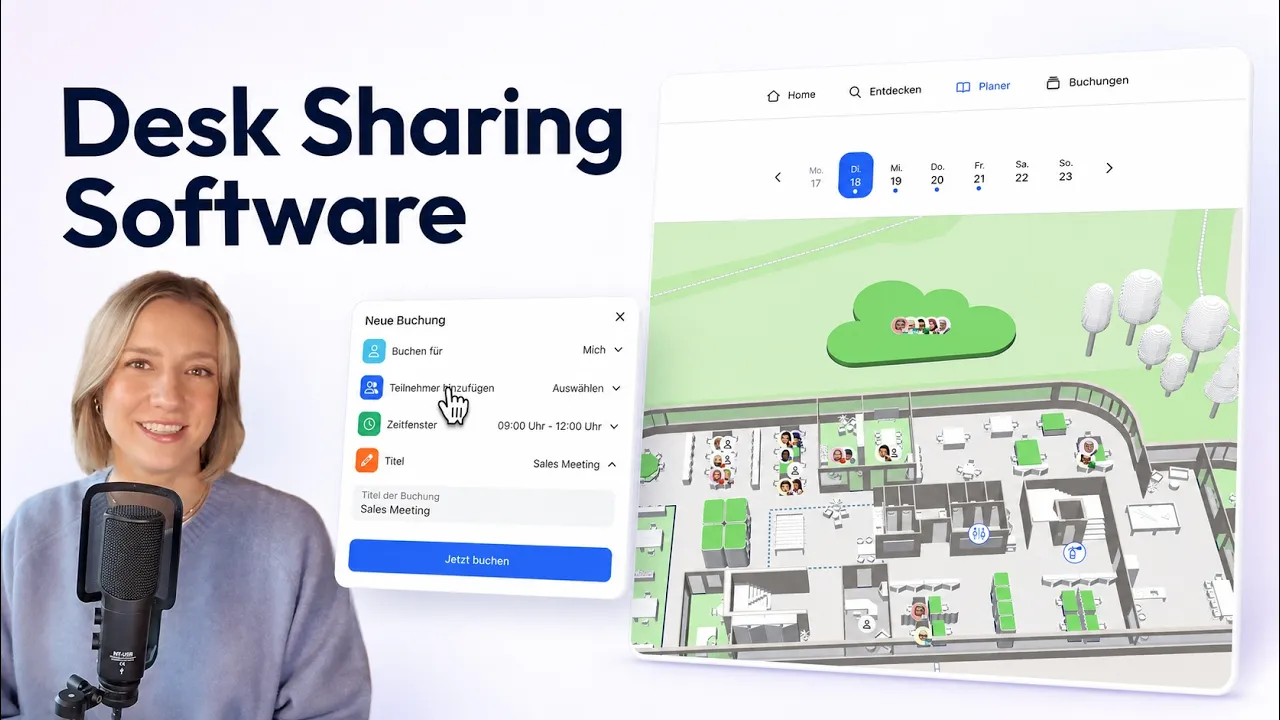
anny offers an intuitive, mobile-optimized interface that your team will love instantly, along with seamless integrations into your favorite tools like Outlook, Google Workspace, and MS Teams. Thanks to full GDPR compliance and flexible features designed for diverse working models, anny is much more than just a technical solution—it's a real enabler for successful change management and high adoption rates. See for yourself how easy desk booking with anny is in practice:
Leading companies like DeepL, Metro, or Volksbank already trust anny to optimize their office space and skip the typical setup hurdles. Book your free demo today and get started with desk booking in your company: Book a demo.
If you are comparing different desk sharing providers, check out this article.






" height="38px" id="bH388uk2E" transform="translate(1 1)" width="118.00000395534607px"/></svg>)