

Amira van Weegen
Junior Marketing Manager
September 12, 2025
Digital Door Signs for Meeting Rooms: The Complete Guide to Modern Room Booking 2025
6 min
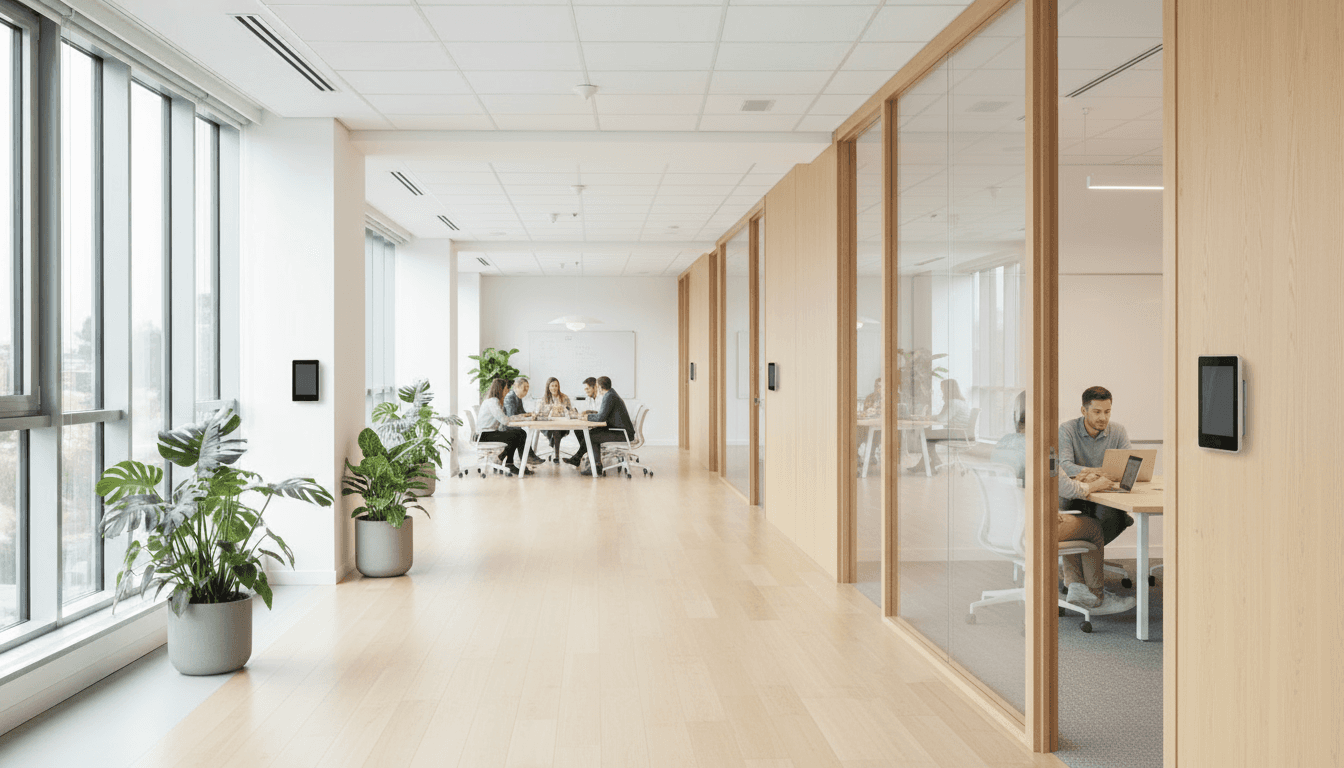
What are digital door signs for meeting rooms and why do you need them?
Digital door signs for meeting rooms are electronic displays that show room occupancy, appointments, and booking status in real-time. In this guide, you will learn everything about functionality, installation, and benefits for your business.
These smart displays solve the problem of manual room signage and bring order to chaotic bookings. Instead of outdated paper signs or handwritten notes, you immediately see which rooms are available, who has booked them, and when the next meeting starts.
In this article, we cover definitions and technology fundamentals, provide you with a step-by-step guide for implementation, compare different display options, and answer the most common questions about digital door signs. You will also receive a concrete practical example with measurable results.
Understanding Digital Door Signs: Technology and Basics
Digital door signs are electronic displays mounted directly on or next to meeting rooms. They automatically show information such as room occupancy, meeting times, participant names, and the current status (“available” or “occupied”). The main difference from traditional signs is the automatic update through integration with calendar systems.
Related terms you should know:
Room signage: Complete system for labeling rooms
Digital signage: Overall concept for digital information displays
Room booking system: Software for managing bookings
E-Paper displays: Energy-saving electronic paper technology
The three main components of every digital door sign:
Display technology: E-Ink displays (energy-efficient, perfectly readable) or LCD/LED screens (colorful, interactive)
Network connection: Wi-Fi, LAN wiring, or Power over Ethernet (PoE) for data and power
Management software: Cloud solution or local server for central control of all devices
Technology connections
The digital door signs function as part of a networked system: Your calendar systems (Microsoft Outlook, Google Calendar, Exchange) automatically send booking data to the displays. These then show the correct status in real-time without manual effort.
The data flow works as follows: Room booking in the calendar → Automatic synchronization → Instant display on the door sign → Efficient room utilization without conflicts
The integration is carried out via standardized interfaces, allowing the door signs to harmonize with existing IT systems.
Why Digital Door Signs in Meeting Rooms Are Essential
Studies and case reports from businesses demonstrate that digital door signs offer a significant advantage over static paper signs. The attention of employees and guests is more strongly drawn to the dynamic displays, and important room information remains better retained. By integrating with existing booking systems or calendars, information can be displayed in real-time and bookings can be made directly, a clear benefit compared to printed signs, which are often outdated or unclear.
Tangible Cost Savings
Digital door signs eliminate the need for regularly replacing paper signs. Printing costs, material expenses, and the time staff spend on posting and renewing are completely eliminated. This not only reduces ongoing expenses but also ensures a more sustainable and resource-efficient operation.
Fewer Appointment Conflicts and Confusion
Another advantage is improved organization: direct integration with digital calendars significantly reduces double bookings and scheduling conflicts. Users can see at a glance if a room is free, when the next meeting is scheduled, and how long the room will be occupied. This ensures smoother workflows in daily operations and more transparency for everyone involved.
Comparison Table: Digital vs. Traditional Door Signs
Criterion | Paper Signs | E-Ink Displays | LCD/LED Displays |
|---|---|---|---|
Acquisition Costs | €5-15 | €200-400 | €300-800 |
Ongoing Costs/Year | €50-100 | €5-10 | €20-40 |
Updates | Manual, time-consuming | Automatic, instant | Automatic, instant |
Energy Consumption | None | 0.1-0.5W | 10-25W |
Battery Life | - | 2-3 years | - |
Color Display | Limited | Black and white | Full color |
Interactivity | None | Limited | Touch operation |
Error Rate | High | Very low | Very low |
Flexibility | Very low | High | Very high |
Display Technologies in Detail:
E-Ink: Ideal for basic information, extremely energy-efficient
LCD: Medium costs, good color rendering, touch capabilities possible
LED: Highest brightness, best color reproduction, higher power consumption
Step-by-Step: Implementing Digital Door Signs in Meeting Rooms
Step 1: Needs Analysis and Planning
Systematically record your meeting rooms:
Number and size of all meeting rooms, conference rooms, and flexible workspaces
Frequency of use and typical booking duration
Special requirements (e.g., confidential meetings, external guests)
Check the technical prerequisites:
Power Supply: Are power outlets available, or is Power over Ethernet (PoE) possible?
Network: Test Wi-Fi coverage or check LAN connections
Mounting: Wall condition, glass walls, or door frames as mounting options
Checklist for planning:
[ ] Create a list of rooms with size specifications
[ ] Document existing calendar systems (Exchange, Google Workspace)
[ ] Inform IT department about network requirements
[ ] Define budget for hardware and software
[ ] Define pilot area with 3-5 rooms
Step 2: Hardware Selection and Installation
Choose the appropriate display sizes:
7-10 inches: Small offices, single offices
13.3 inches: Standard meeting rooms for 4-8 people
15.6 inches: Large conference rooms, better visibility from a distance
Mounting options depending on the situation:
Wall Mounting: Most stable solution, requires drilling
Door Frame Mounting: Flexible, no wall damage
Glass Mounting: Special suction cups or clamps for glass walls
Installation Step by Step:
Mark mounting points and secure displays
Establish network connection (Wi-Fi credentials or LAN cable)
Install PoE switches if desired
Set up management software on PC or server
Register and assign each display individually
Step 3: Calendar Integration and Optimization
To fully utilize digital door signs, they must be connected to the company's existing calendar system. This is the only way to display bookings in real-time, avoid double bookings, and enable ad-hoc reservations.
Typical integrations include:
Microsoft Exchange/Outlook via Exchange Web Services (EWS) or Graph API
Google Workspace via Calendar API
iCal/ICS Feeds for other systems
In addition, important rules and optimizations can be set:
Which information should be visible (only "free/occupied" or also meeting details)?
When is a room considered free if an appointment is not kept (No-Show Handling)?
Should spontaneous bookings be possible directly on the display – and if so, for which time periods?
Data protection also plays a role: While some companies want to display meeting titles and names, others only need to show the status "free" or "occupied".
To measure success, it is recommended to compare key metrics before and after implementation – such as room utilization, number of booking conflicts, or user feedback. This reveals the added value digital signage brings.
💡 Note: Many modern solutions like anny take over much of this configuration by already including interfaces to common calendar and booking systems. We will address this further in the course.
Avoiding Common Mistakes with Digital Door Signs
Error 1: Insufficient WiFi Coverage Leads to Connection Drops Many companies underestimate the network requirements. Weak WiFi causes delayed updates or complete display failures. Test the signal strength at each planned location and install additional access points if needed.
Error 2: Missing User Permissions for Calendar Access Block Synchronization
The management software requires special permissions to read room calendars. Clarify with the IT department beforehand which permissions are required in Exchange or Google Calendar. Test the connectivity in a controlled environment.
Error 3: Small Displays in Large Conference Rooms Reduce Visibility A 7-inch display in front of a 20-person conference room is practically useless. Plan the display size based on room size and viewing distance. As a rule of thumb: At least 10 inches for standard meeting rooms.
Pro Tip for Risk Minimization: Always start with a pilot project in 3-5 rooms of different sizes. This way, you can test the technology, gather experience, and resolve issues before rolling it out to the entire company. The experiences from the pilot phase save time and money later on. Anny as a provider of digital door signs.
The easiest solution for digital door signs
After considering the benefits of digital door signs in meeting rooms in general, the question arises: How can this be implemented in practice? With anny, the implementation is particularly easy and seamlessly integratable into existing processes.
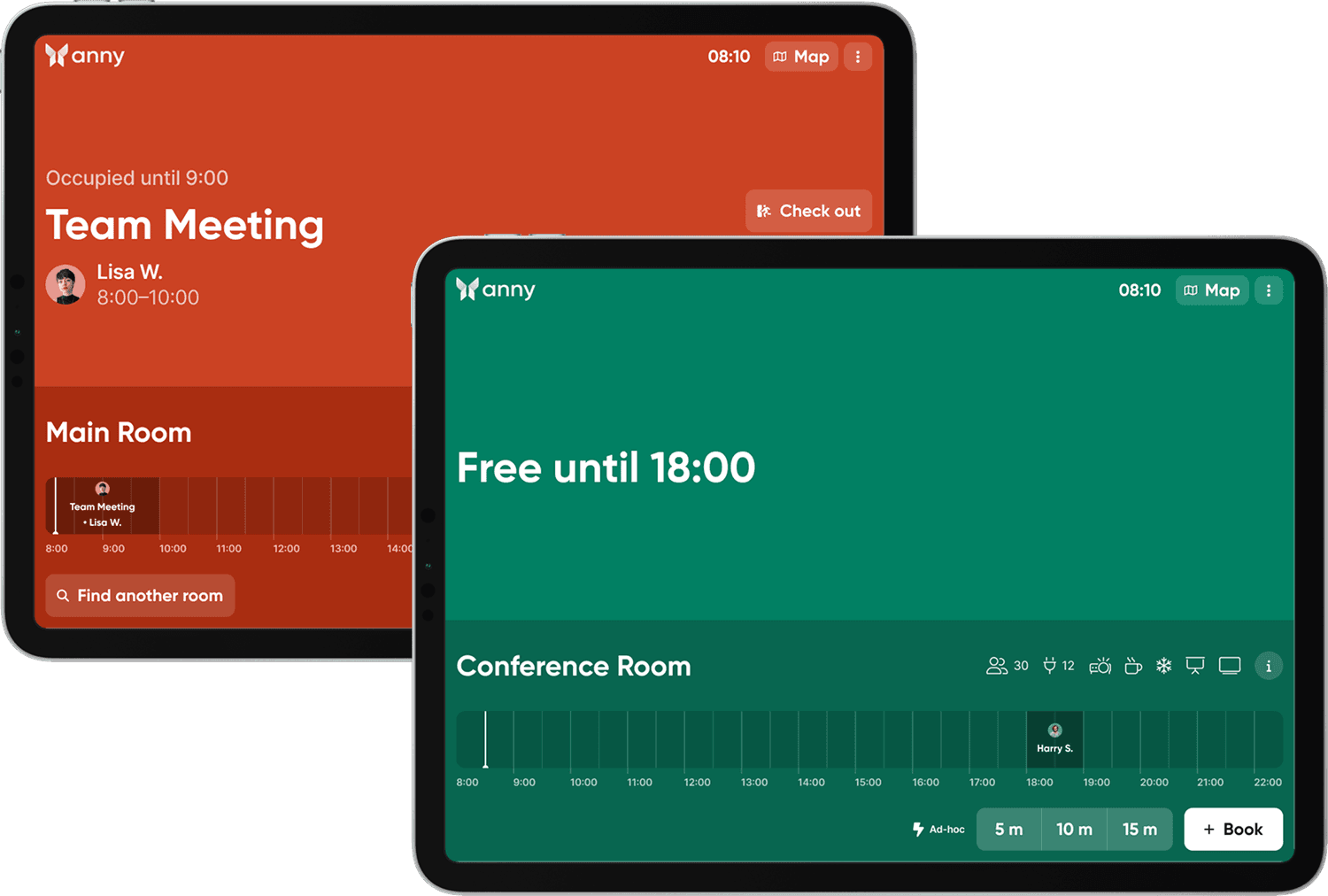
The anny Display App transforms any suitable tablet or display into a digital door sign. Right in front of the meeting room, employees and guests can immediately see if a room is available or occupied and when the next booking is scheduled. Additionally, there is the option to make ad-hoc bookings directly on the display, so a spontaneous meeting can start immediately without detours via laptop or calendar.
Moreover, the app ensures a clear and concise display of the current and upcoming reservations. This prevents double bookings, makes room utilization more efficient, and increases transparency for everyone on the team.
By integrating into the anny booking system, all changes are synchronized in real-time: if a room is released in the calendar or booked via the app, the information appears immediately on the display. Therefore, digital door signs are not just a practical aid, but a central component of modern and smart room management.
Further details and a setup guide can be found in the documentation for the anny Display App.
Frequently Asked Questions About Digital Door Signs in Meeting Rooms
What are the costs?
The anny Display App is free of charge. The determining factor for costs is the number of meeting rooms. Costs start at €4 per month, for a detailed pricing overview, click: here. Additional costs for displays apply, which vary depending on the type. E-paper displays cost between €200-400 each, LCD displays between €300-800.
How long do the batteries last in E-Ink displays?
E-paper displays achieve a battery life of 2-3 years with 10-15 updates daily. Power consumption is minimal as E-Ink only consumes energy when changing images. For frequently used rooms, we recommend PoE supply for unlimited runtime.
Can employees book spontaneously?
Yes, ad-hoc bookings are possible directly at the door sign via touch displays.
What happens during network outages?
E-Ink displays continue to show the last status even without a network connection. LCD displays can have offline modes or temporarily display a default text. After restoring the connection, automatic synchronization of all missed changes occurs.
Are the displays secure against hacker attacks?
Modern systems use encrypted data transmission and operate in protected network segments. The displays usually have read-only access to calendar data, with no write permissions. Regular firmware updates and VPN connections further enhance security.
Conclusion: Increased Efficiency with Digital Door Signs
Digital door signs are far more than just a modern gimmick; they are a real lever for efficiency, transparency, and user-friendliness in everyday office life. They help prevent double bookings, make optimal use of resources, and enable spontaneous meetings with ease.
With the anny Display App, the introduction of digital door signs becomes especially simple: Rooms can be booked or released directly at the display, availabilities are clearly visible at all times, and all changes automatically sync with the anny booking system.
Take the next step towards smarter space utilization and schedule a demo with the anny sales team: Schedule a demo.





" height="38px" id="bH388uk2E" transform="translate(1 1)" width="118.00000395534607px"/></svg>)