

March 10, 2026
Visitor Management Software Costs: What You Should Really Budget for in 2026
5 mins
Introduction
How much does a professional solution for visitor registration at the reception cost? This is a question asked by office managers, facility managers, and IT professionals when they want to replace analog processes with modern visitor management software. In this article, you will get a transparent overview of typical pricing structures, influencing factors, and concrete example calculations for 2026.
Key Insights
Before we dive into the details, here are the key points of the cost structure of visitor management systems at a glance:
One-time hardware costs for tablets, stands, and possibly badge printers typically range between €500 and €1,500 per terminal.
Ongoing SaaS fees range from €30 to €100 per month per terminal or location.
Main cost drivers include the number of check-in terminals, locations, visitor volume, as well as necessary integrations and compliance requirements.
ROI through time savings: With 300 visitors per month, digital systems can save 15-25 hours of work time, often far exceeding the SaaS costs.
Modern visitor management systems are now standard in professional offices and make costs predictable.
From Paper Lists to Digital Visitor Management
Many companies will still be using paper lists at reception in 2026, even though digital visitor management has long become the standard in modern offices. Industry analyses show that over 70% of medium-sized companies in Germany with 50 to 500 employees are now using appropriate software, compared to around 40% in 2022. The shift was initially accelerated by contactless requirements after 2020, and later driven further by stricter security and data protection requirements like GDPR, ISO 27001, and TISAX.
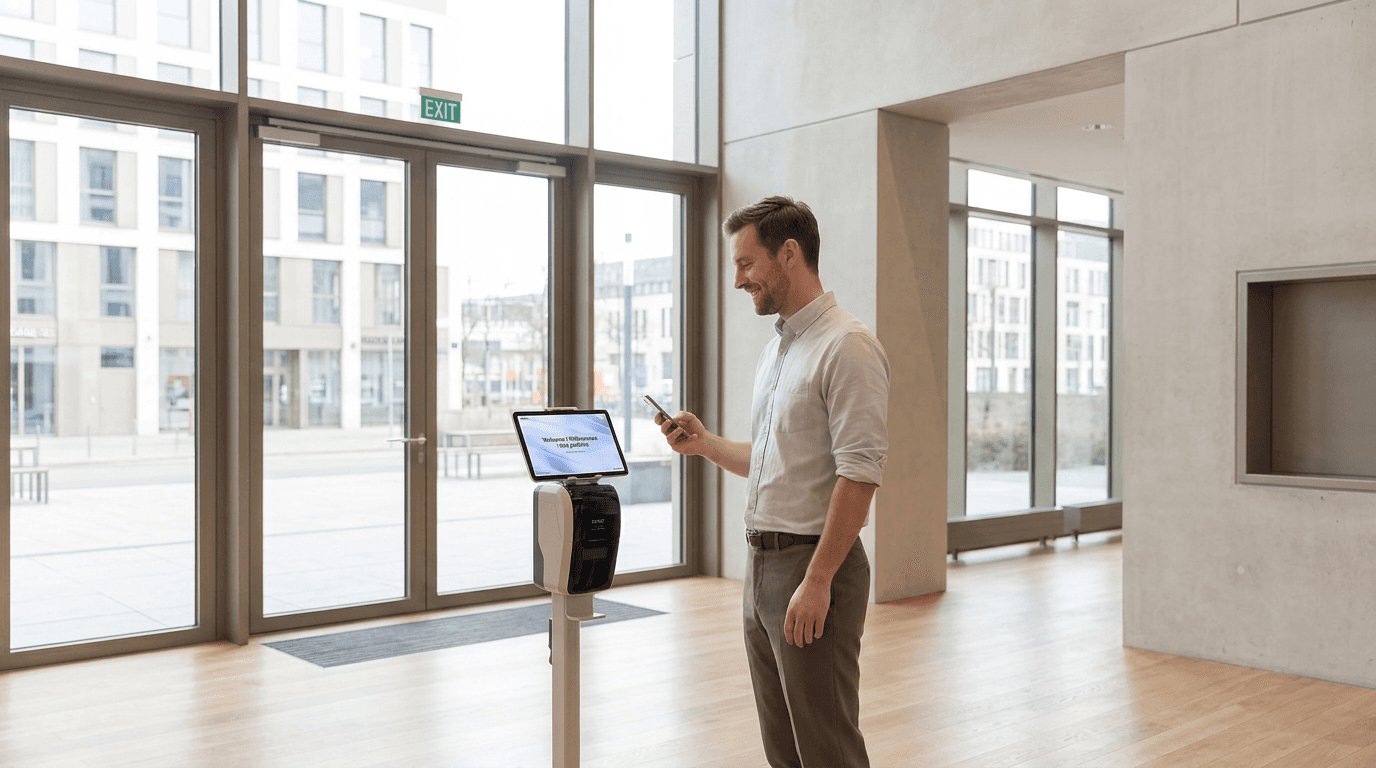
But what exactly is visitor management software? At its core, it is a platform that digitally maps the entire visitor process—from pre-registration via invitation to check-in at a tablet or terminal to the automatic notification of the host, such as via email, Microsoft Teams, or Slack. Additionally, visitor badges can be printed, digital forms or NDAs signed, and legally compliant visitor logs for audits can be created.
The article is aimed at office managers, facility managers, HR professionals, operations leads, and IT and security teams who need to ensure safety, compliance, and a professional visitor experience in the company. In everyday practice, the benefits are particularly evident during customer meetings, applicant interviews, external contractors, suppliers, or maintenance personnel who regularly access the building.
What features does visitor management software typically offer?
Before you start comparing prices, it’s important to know which features are truly relevant for your business. The range of features directly impacts the cost: Basic features are usually less expensive, while advanced features like integrations, multilingual forms, or additional automations can increase the price.
Typical features of modern visitor management software include:
Digital check-in at reception via tablet, kiosk, or browser – often used as self-check-in for guests
Pre-registration and invitation management via email or calendar integrations like Outlook or Google
Automatic host notification via email, SMS, Microsoft Teams, or Slack as soon as the visitor arrives
Badge and visitor ID printing directly at check-in, including photo or QR code
Digital signatures for NDAs, data protection agreements, or safety instructions
Visit logs and reporting, e.g., by location, period, or host, exportable as CSV or PDF
Multi-location management on a central platform with role-based permissions
Integration with access controls or smart locks (optional)
GDPR-compliant data processing, including automatic deletion of visitor data after defined periods
Check-out recording to ensure visitor movements are fully documented
Depending on your needs, you can start with a simple standard setup and later add additional features such as wayfinding, travel directions, or evacuation lists.
What is the cost of visitor management software?
The total cost for visitor management software consists of one-time investments and ongoing fees. With SaaS solutions—the dominant model today—high upfront license costs, typical of on-premises systems, are eliminated.
Here's an overview of typical cost types:
Monthly SaaS fees for the software, often billed per terminal or location—typically €30 to €100 per month
One-time license or setup fees for activation or configuration—often between €50 and €500
Hardware costs for tablets (iPad or Android)—one-time €200 to €800 depending on model and durability
Floor stands or kiosk enclosures for professional reception presentation—€150 to €400 one-time
Optional: Badge printers (€100 to €500) and labels/badges (approx. €0.10 to €0.20 each)
Project or implementation costs for configuration, training, and integration—€1,000 to €5,000 for complex setups
Internal efforts for IT setup (10-20 hours), office manager training, and ongoing administration
On-premises solutions operate with different cost models: Here, one-time license fees of €5,000 to €20,000 and annual maintenance contracts (15-20% of the license costs) are common—a model that will be chosen less frequently by 2026 due to the scalability of cloud solutions.
Specific cost example: A visitor management terminal in 2026
To make the costs more tangible, here is a simple example calculation for a single reception terminal based on typical market values:
Item | Cost |
|---|---|
Check-in Terminal Software (Subscription) | from €50 per month |
Stand for the Tablet | approx. €200 one-time |
Tablet (e.g., iPad or Android) | approx. €500 one-time |
Summary:
Total one-time cost: €200 + €500 = €750
Recurring costs: from €50 per month per terminal (equivalent to €600 per year)
With multiple terminals or locations, the costs multiply accordingly: Three entrances at the headquarters plus two additional locations mean five terminals – about €3,700 one-time and €3,000 per year in recurring costs. Additional features like badge printers, access control integration, or higher-end hardware can further influence these amounts.
Digital Visitor Management vs. Manual Processes: How Do the Costs Add Up?
Classic front desk processes often look like this: visitors sign in on paper lists, hosts are notified by phone, badges are created manually, and visitor lists have to be painstakingly compiled for audits. This costs time, is prone to errors, and rarely meets the demands of modern compliance.
Digital visitor management systems offer clear advantages directly related to cost and ROI:
Time savings at the front desk: Manual registration takes 3-5 minutes per visitor (noting name, calling host, creating badge), digitally this is reduced to 30-60 seconds.
Reduced coordination effort: Pre-registration and automated notifications relieve office managers and hosts.
Better compliance documentation: Audit reports are available with a click instead of manual assembly (saving €500+ per audit).
Fewer errors: No illegible handwriting, automatic data validation, consistent processes.
Professional first impression: 90% of guests view check-in as a brand contact point – a modern reception strengthens the image with clients, partners, and applicants.
Sample estimation calculation:
With 300 visitors per month and 3-5 minutes time saved per visitor, the result is:
900-1,500 minutes saved = 15-25 hours per month
With labor costs of €30-€40 per working hour: €450-€1,000 "freed-up" capacity
The SaaS costs of €50 per month are clearly exceeded
Besides the pure cost perspective, risk minimization also plays an important role: Compliance violations according to GDPR can result in fines of up to 4% of annual revenue, and in the case of security incidents, complete documentation of visitor activities is crucial.
anny as a modern, GDPR-compliant visitor management software from Germany
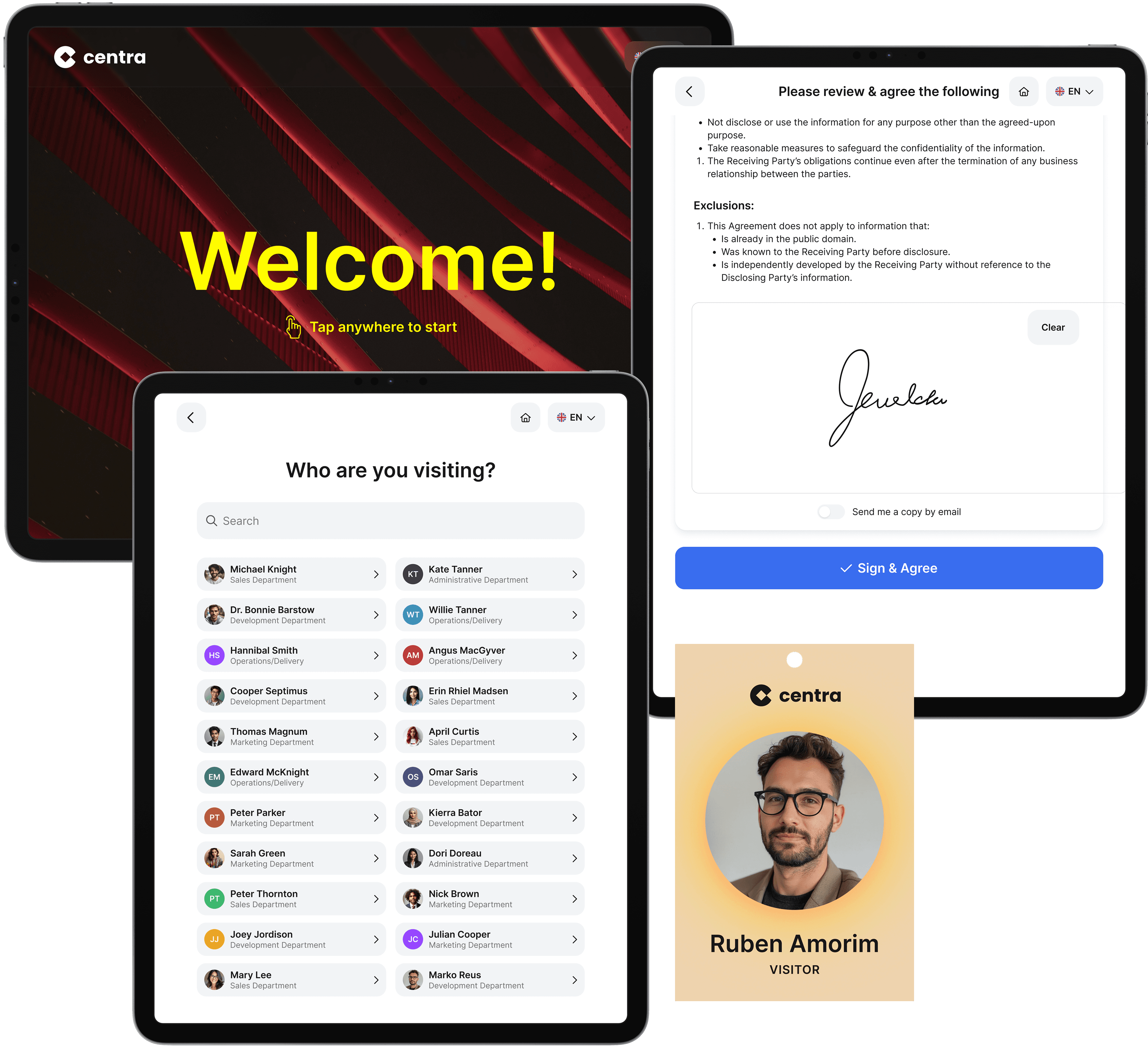
Following the general cost overview, let's look at a specific solution: anny is a German SaaS platform for visitor management. The platform is hosted in German data centers, ISO 27001 certified, and fully GDPR compliant.
Key visitor management features of anny at a glance:
Digital check-in via QR Code or email
Automatic host notification
Wayfinding for visitors
Custom badge printing for visitors right on site
Digital form signatures for visitor policies, NDAs, and briefings
Reporting and analysis across locations
Multi-location management with role-based permissions for different users
Overview of all visitors, especially important for emergencies
Seamless integrations with calendars, HRIS, access control, and smart locks
anny is particularly attractive for organizations with hybrid work models: visitor management can be seamlessly combined with desk and room booking, parking reservations, and meeting room scheduling. This creates synergy effects of 20-40% compared to separate standalone solutions and simplifies resource planning.
Pricing model of anny for visitor management
anny operates with a transparent pricing model per check-in terminal, which is easy to plan for businesses with multiple entrances or locations.
Package | Prices per Terminal and Month |
|---|---|
Professional | 50€ |
Business | 80€ |
Enterprise | On Request |
Billing is per terminal, not per visitor count, making costs predictable even with increasing visitor numbers.
Another advantage: anny can be flexibly combined with other modules – for example, for event management, equipment rental, or workplace booking. Companies using multiple modules benefit from economies of scale compared to separate vendor solutions.
You can find a clear pricing overview here.
If you want to learn more about anny's visitor management, schedule a non-binding demo and receive advice for your setup: Schedule a demo.
Conclusion: How to Make Realistic Budget Decisions for Visitor Management Software
Digital visitor management software will be the standard for modern offices by 2026, offering predictable, transparent costs. The total expenses consist of a one-time hardware and setup investment as well as ongoing SaaS fees. Major cost drivers include the number of terminals and locations, the desired range of features, as well as integration and compliance requirements.
Compared to manual processes, the costs often pay off quickly: The time saved at the reception, improved security, and simplified audit preparation provide clear added value, often surpassing the monthly software costs.
Practical recommendations for your next steps:
Define your needs: How many terminals and locations do you require? Which integrations are necessary?
Plan your budget: Calculate hardware and SaaS costs separately
Choose a provider: Prefer GDPR-compliant hosting in Germany or the EU
Test: Use demos and trial versions to evaluate the solution in everyday use
If you are looking for a modern, GDPR-compliant solution from Germany, you can schedule a demo with anny to clarify specific questions regarding features and costs.






