The workspace booking system for law firms with compliance power
Manage workspaces, rooms, and visitors all in one solution. Gain transparency over locations, roles, and resources while ensuring GDPR compliance, confidentiality, and audit trails. Seamlessly integrate Microsoft 365, Azure AD, and check-in into your law firm workflow.
Get started for free. No credit card required!



Make your law firm's daily routine finally manageable
Without centralized control, workspaces, meeting rooms, and visitor flows become difficult to oversee, and vital records end up scattered.
Lack of transparency in space and room allocation
Double bookings, unused workspaces, and a lack of overview regarding parking spaces or equipment cost time and space. Decisions regarding space utilization remain vague and complicate planning across locations.
Compliance requirements without clear processes
Without consistent permissions, deletion deadlines, and audit trails, the risk of data protection violations increases. Evidence is spread across multiple tools, making it challenging to conduct reviews and internal audits.
Features that truly empower law firms
Connect workspace booking, client appointments, visitor management, and compliance in a single solution. Achieve high adoption rates with mobile apps and Microsoft 365 integration.
Smartly book and manage workspaces
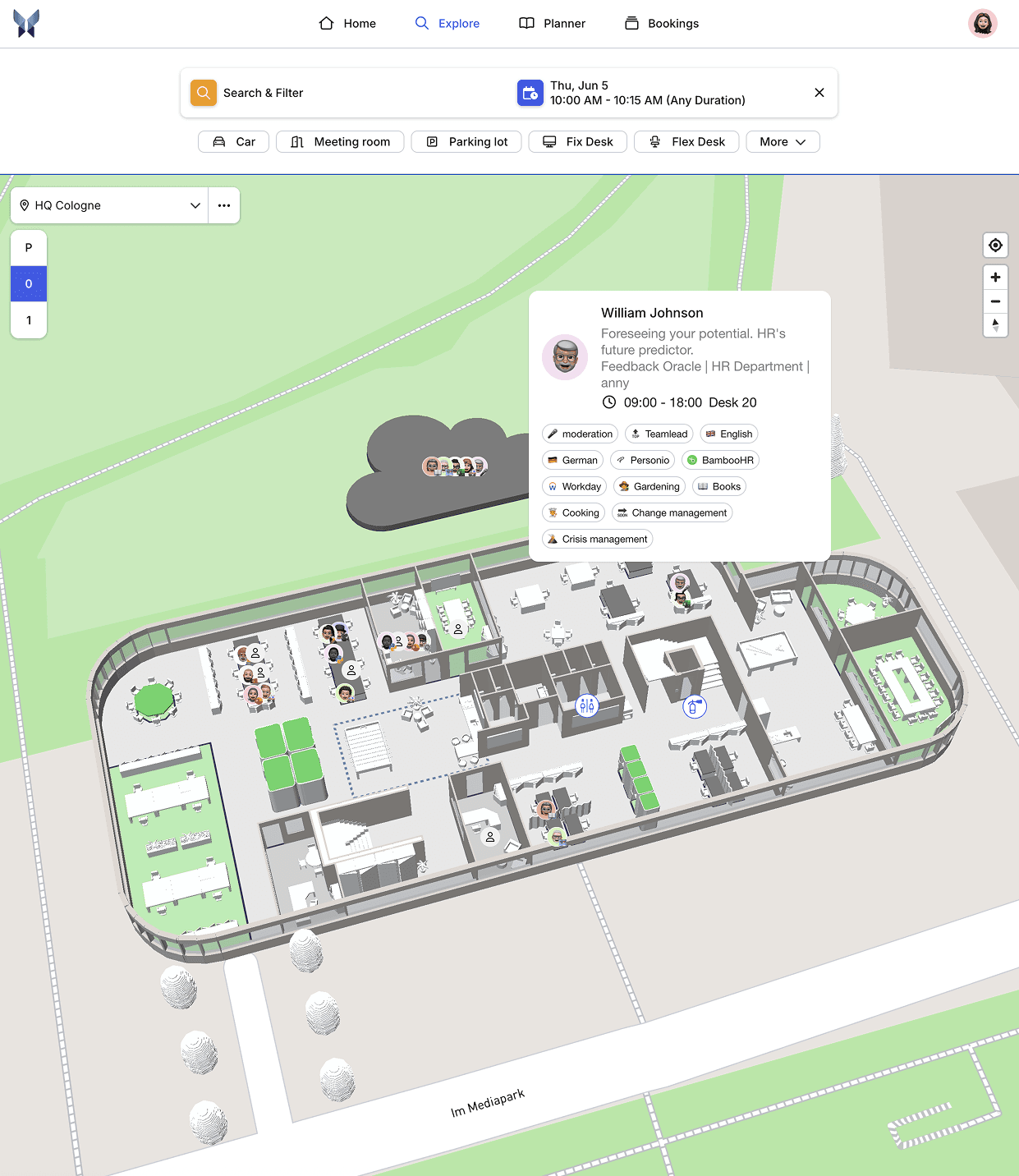
Plan hybrid work with a weekly planner, zones, and a 3D map, prevent double bookings, and optimize utilization. Experience quick navigation across locations and clear team communication.
Week scheduling with zones
3D map for visual selection
anny Display for live occupancy

AI-generated

AI-generated
Effortlessly manage client appointments and visitor schedules
Offer online booking according to competency profile, secure video links, and quick QR or badge check-in. Relieve reception duties and automatically notify clerical staff.
Forms for pre-qualification
Email reminders
Waitlists for seminars
Compliance by Design
Set granular roles, define deletion deadlines, and secure audit trails for bookings and visitors. Protect sensitive mandate data with anonymous bookings and clear access models.
Rights and location management
Digital NDAs
Audit-proof records

AI-generated

AI-generated
Seamlessly integrated with Microsoft 365 and more.
Work where your team already is: Outlook, MS Teams, calendar sync, and SSO with Azure AD ensure high adoption. Connect HR and IT via webhooks and exports, digital signage provides clarity on-site.
Outlook Add-in and Teams App
SSO with Azure AD
Automatic Exports

Use Cases for Law Firms: Workspaces, Appointments, Visitors



Industry Insights
How Hybrid Work and Desk Sharing are Transforming Law Firms
Hybrid work has also reorganized everyday life in law firms. Younger talents expect flexible workspaces, clear availability, and self-service instead of coordination by phone. At the same time, clients demand schedulable appointments, transparent communication, and reliable arrival processes. Without digital workspace booking, spaces remain empty or are used twice, increasing costs and dissatisfaction. Desk sharing opens up possibilities: fewer fixed desks, more need-oriented zones like silent and collaboration areas. Transparent availability enhances self-responsibility, while clear rules create accountability. Visitor management with pre-registration and quick arrival enhances professionalism at reception. Data-driven utilization reports help optimize spaces and justify investments. This creates a modern, compliance-secure work environment that equally promotes efficiency, satisfaction, and competitiveness.
Make your workday easier today
"Simply the best booking software" (OMR Reviews, Q3/2025) - Start for free


When is anny the best workplace booking system for my firm?
If you want to centrally manage hybrid work, desk sharing, and space management while also needing GDPR compliance, mandate secrecy, and audit trails, then you’ve come to the right place. When Microsoft 365, Azure AD, and mobile apps are a must-have for you, and you want to reduce double bookings and phone call volume, anny is the perfect fit.
When does a booking system really pay off for law firms?
When multiple locations, teams, or roles compete for workspaces, rooms, parking spaces, and equipment, transparency and automation offer measurable advantages, especially from 20 to 30 people onwards: higher utilization, reduced vacancies, clear documentation, fewer ad-hoc meetings, and improved client experiences.
How does anny address GDPR, confidentiality under attorney-client privilege, and retention requirements?
anny offers granular rights and role concepts, definable deletion deadlines, audit trails, as well as digital NDAs and privacy notices. Anonymous bookings protect sensitive mandate data. All relevant events are documented in a revision-safe manner, making inspections and internal audits efficient and traceable.
Does anny work with Microsoft 365, Outlook, MS Teams, and Azure AD?
Yes, anny deeply integrates with Microsoft 365 through an Outlook add-in, MS Teams app, and calendar sync. Single Sign-On via Azure AD ensures convenient and secure access. This way, you can book directly within the familiar workflow and increase acceptance across the entire team.