

Amira van Weegen
Junior Marketing Manager
September 8, 2025
Features of a Meeting Room Booking System: Key Features for Efficient Space Management
3 min

Introduction
Do you know the feeling when you urgently need a free meeting room for a spontaneous discussion, but all the rooms seem to be occupied? Or when you've reserved a room for an important client presentation, only to find out that another meeting is already taking place there? These everyday office frustrations are a thing of the past with a modern booking system for meeting rooms.
In a flexible work environment where hybrid work models and spontaneous collaboration are the norm, efficient management of meeting rooms is crucial. A professional room booking system offers much more than just the simple reservation of conference rooms; it is a comprehensive solution for optimal resource utilization, increased efficiency, and significant cost savings.
What is a meeting room booking system and why do you need it?
Definition and Core Functions of a Digital Room Booking System
A meeting room booking system is specialized software that automates and optimizes the entire management, scheduling, and reservation of meeting rooms. This digital platform goes well beyond a simple calendar solution and offers a centralized hub for all aspects of room management in modern offices.
The core functions include real-time display of room availability, intuitive booking options across various devices, and seamless integration into existing calendar systems like Microsoft Outlook or Google Calendar. Employees can quickly find available rooms, book them directly, and receive automatic confirmations and reminders via email.
Problems Without a Booking System: Double Bookings, Unused Rooms, Time Loss
Without a booking system, organizational problems quickly arise, costing companies valuable time and resources. Double bookings often occur when multiple people reserve the same room or resource simultaneously, without clear visibility. Meanwhile, other rooms remain unused due to a lack of clear overview of available capacities. This lack of structure not only leads to inefficiency and downtime but also causes unnecessary coordination effort, as employees must constantly inquire or manually coordinate. The result: Frustration, chaos, and a significant loss of productivity.
Benefits for Companies: Increased Efficiency, Cost Savings, Better Resource Utilization
A digital booking system offers numerous advantages for companies, supporting both daily business and long-term planning:
Competitive advantage through the use of a digital booking system
Increased efficiency thanks to central management of resources and appointments
Automated processes reduce the need for coordination
Employee relief, allowing them to focus on their core tasks
Cost savings through optimal utilization of rooms, workspaces, and devices
Avoidance of unused capacities, leading to better profitability
Transparent overview of all bookings for more control and clarity
Informed decisions based on utilization analyses
Tailored planning of infrastructure and resources
Eased workday and assurance of long-term profitability
Target Groups: Small and Large Companies, Co-Working Spaces, Educational Institutions
From startups with a few meeting rooms to large corporations with hundreds of conference rooms at various locations, modern room booking systems scale flexibly with demands. Especially benefiting:
Small to medium-sized businesses with 5-50 meeting rooms seeking efficiency without complex management
Large enterprises with multiple locations and hundreds of rooms needing central control
Co-working spaces offering flexibly bookable workstations and conference rooms
Educational institutions like universities and schools with specialized rooms and lecture halls
Consulting companies with frequently changing client appointments and project teams
Core Features of Modern Meeting Room Booking Systems
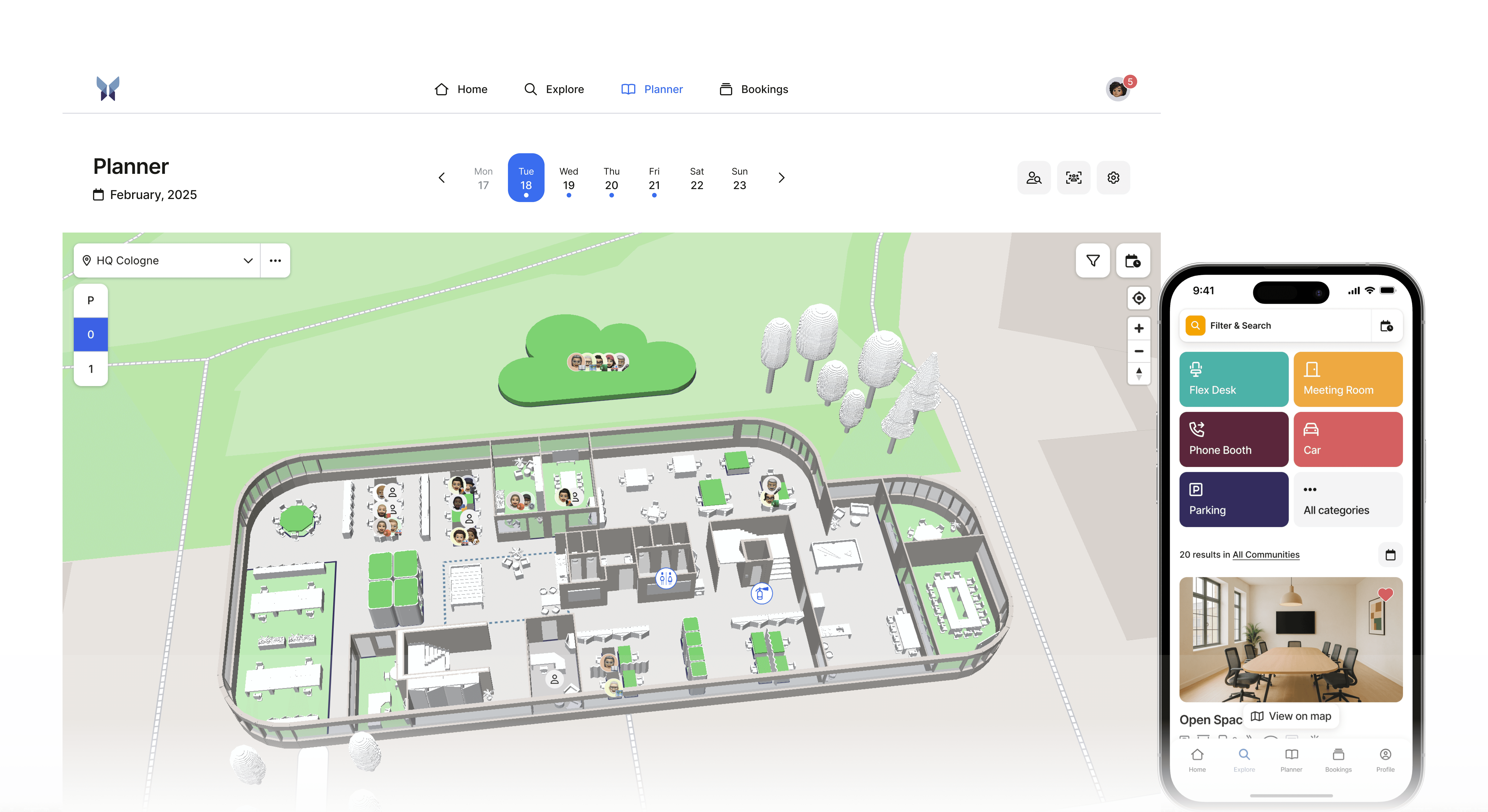
3D Maps: Visual Representation of Your Office for Intuitive Room Selection
Modern systems offer interactive maps of your office space that enable intuitive navigation. Employees can see at a glance where available rooms are located and if they have the required equipment. This visual representation is especially helpful in large office complexes or for new colleagues who are still finding their way around.
Real-Time Tracking: Instant Display of Available and Occupied Rooms
The core of any effective room booking system is the live availability display. Changes are synchronized in real-time, ensuring employees always receive up-to-date information. If a meeting is canceled at short notice, the room immediately becomes available again.
Filter Functions: Search by Room Size, Equipment, and Location
Advanced filters allow targeted searches based on specific requirements. Users can filter by various criteria:
Number of Attendees (2-4 people, 5-10 people, 10+ people)
Technical Equipment (Projector, Video Conference System, Whiteboard)
Location or Floor
Availability Period
Additional Resources (Catering Options, Flipcharts)
Mobile Optimization: Room Search and Booking from Any Device
Mobile accessibility is standard today, and employees expect to be able to book rooms from their smartphones or tablets. Responsive web apps or native mobile apps enable bookings from anywhere in the office or on the go. Push notifications inform about upcoming appointments or short-term changes.
Seamless Calendar Integration
Microsoft 365 Integration: Direct Synchronization with Outlook and Teams
Integration with Microsoft 365 is essential for many companies. Room bookings automatically appear in all participants' Outlook calendars, while Teams meetings are automatically linked with the booked rooms. This 2-way synchronization ensures all parties are always up-to-date.
Google Workspace Integration: Automatic Transfer to Google Calendar
Companies using Google Workspace benefit from seamless integration with Google Calendar. Bookings are automatically entered in participants' personal calendars and enriched with Google Meet links for hybrid meetings.
2-Way Synchronization: Changes Are Automatically Updated Across All Systems
No matter whether changes are made in the room booking system, Outlook, or Google Calendar - all platforms are automatically synchronized. This prevents conflicts and ensures all parties always have the most current information.
Digital Signage and Door Signs

Electronic Door Signs: Display of Current Room Occupancy Onsite
Digital door displays show the status of each room in real-time. These electronic signs replace traditional paper reservations and offer significantly more functionality. Employees can immediately see if a room is available, who has reserved it, and how long the current booking lasts.
Touch-Display Functions: Ad-hoc Bookings and Extensions at the Door Sign
High-quality door displays with touchscreen functionality allow ad-hoc bookings directly onsite. If a room is free, employees can spontaneously reserve it for any available period. Ongoing meetings can also be easily extended if the room remains available.
Check-in and Check-out System
Attendance Confirmation: Automatic Release for Unused Bookings
An intelligent check-in system effectively combats the problem of ghost meetings. If users do not check in within a configurable time span (usually 5-10 minutes), the booking is automatically canceled and the room is freed up again. This maximizes availability for other employees.
QR Code Check-in: Quick Confirmation via Smartphone
QR codes on door displays or in booking confirmations enable quick check-in via smartphone. Users simply scan the code to confirm their attendance.
Meeting Extension: Flexible Adjustment of Booking Time Onsite
If a meeting lasts longer than planned, participants can check directly at the door display or via the app whether the room remains available and extend the booking accordingly. The system immediately indicates whether an extension is possible or if subsequent bookings prevent it.
Why anny is the ideal booking system for meeting rooms for your company
After reviewing the key features and benefits, the crucial question remains: Which meeting room booking system best fits these requirements? We would like to introduce anny as a solution.
anny offers a modern, user-friendly, and comprehensive solution that covers all described features and goes even further.
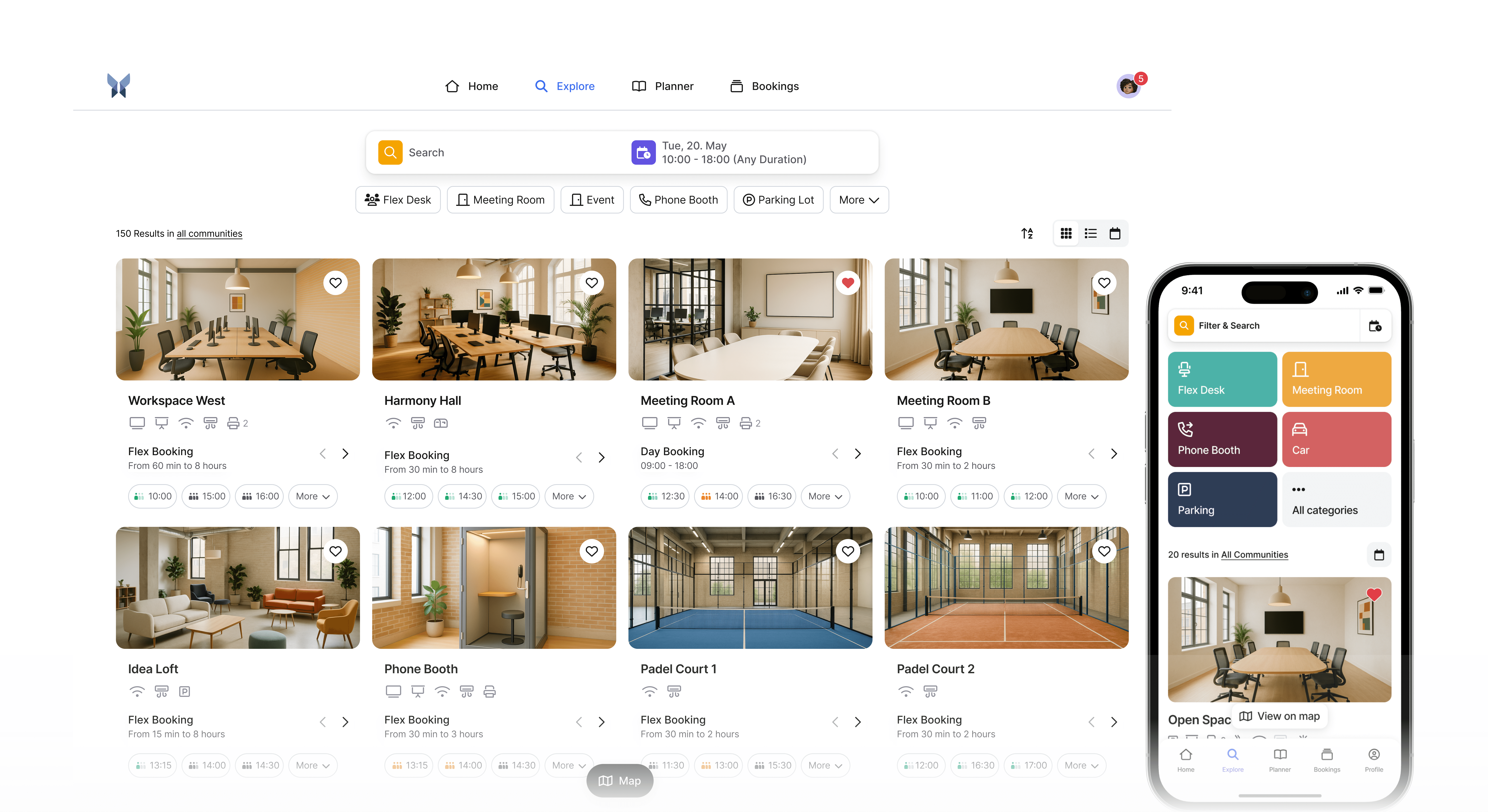
Intuitive Operation and Quick Implementation
anny impresses with a particularly simple and intuitive user interface that all employees can quickly understand. The implementation takes just a few steps, so you can immediately benefit from the advantages without long familiarization times.
Comprehensive Integration with Office 365 and Other Platforms
anny provides seamless integration with Microsoft 365, Google Workspace, and other common calendar and communication tools. This significantly simplifies the scheduling and organization of your meetings and conferences.
Flexible Customization and Scalability
Whether a small team or a large enterprise with multiple locations, anny adapts flexibly to your requirements. Custom booking rules, user rights, and automatic reminders ensure optimal organization and efficient use of your office spaces.
Continuous Development
anny is regularly updated and rarely goes a month without releasing new features. Feature ideas can be suggested by all customers at any time: Roadmap.
Excellent Support and Data Protection
With anny, you benefit from a reliable support team and GDPR-compliant data processing that guarantees the highest security standards.
Conclusion: Count on anny for your meeting room booking
A professional meeting room booking system like anny is indispensable today for efficient work processes and satisfied employees. The comprehensive features, easy operation, and flexible integration make anny the ideal solution for modern companies of any size.
Want to learn more? Then book a free and non-binding demo with anny's sales team: book here.





" height="38px" id="bH388uk2E" transform="translate(1 1)" width="118.00000395534607px"/></svg>)