

(November 2025)
The Top 5 Workplace Management Systems of 2025

If you're looking for a modern workplace management system, you usually have clear goals: an efficient organization of workspaces, flexible use of office space, and seamless integration into existing IT and office infrastructure. Aspects such as data security, sustainability, and the optimization of workflows are increasingly important. The market is growing rapidly, and the differences between providers often lie in the details.
We have conducted an in-depth analysis of the 5 best workplace management systems of 2025. Discover which companies are behind these tools, which features are particularly impressive, what advantages they offer for hybrid work models, and what prices you can expect. This way, you can make targeted comparisons and find the solution that perfectly fits your company's needs and your employees' requirements.
What is Workplace Management?
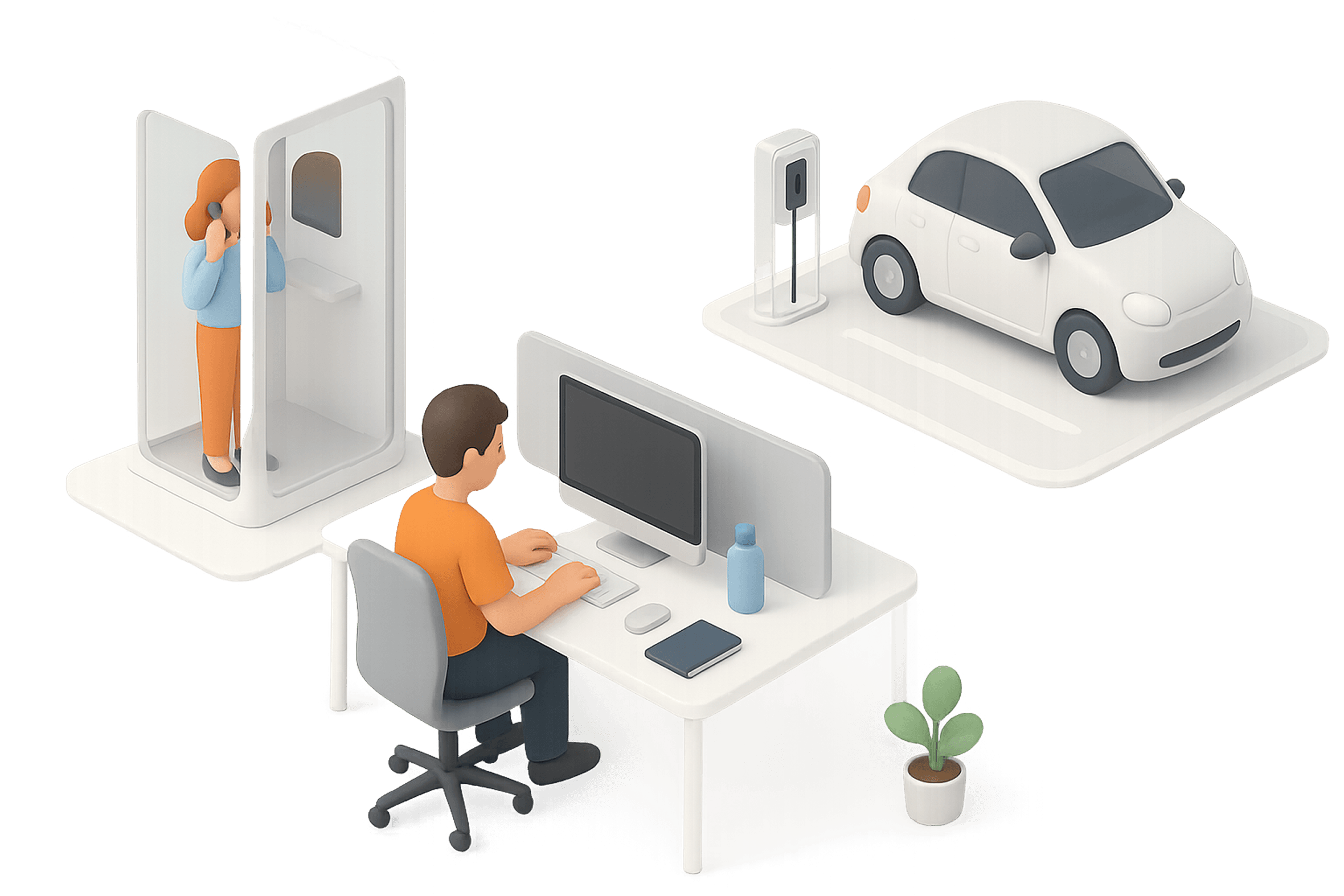
Workplace management involves the organizational design and optimal utilization of all office resources. From desks and rooms to services like cleaning or technology, all resources can be managed within a centralized booking system. The goal is to design workplaces so that employees can work productively, flexibly, and happily.
How do I select the right provider?
Choosing the Right Workplace Management System greatly depends on your company’s individual requirements and priorities. To help you find the ideal solution, we have compiled the most important decision criteria for you:
Analyze Features: Does the software cover only basic workplace and room management functions, or does it also offer advanced capabilities like event management, visitor bookings, resource management, or payment processes?
Flexibility of Workflows: Can you create custom approval processes, form fields, or booking logics to tailor your workspace management – or are the procedures predefined?
Integrations & IT Compatibility: Can the system integrate seamlessly into your existing IT landscape (e.g., calendars, SSO, HRIS, access solutions, or APIs)? Good technical integration ensures smooth operation and saves time in the long run.
Support & Assistance: Do you receive fast, personal support in your language and time zone? An expert contact can be crucial during the onboarding process and ongoing operations.
Data Protection & Compliance: Does the workspace management system meet the requirements of GDPR and your internal security policies? Protecting sensitive employee and location data should always be a top priority.
Comparison of Workspace Management Providers
Brand and product names are owned by their respective companies. anny is a provider of SaaS solutions and presents comparisons for informational purposes. Please check the latest details directly with the provider.
*All information is carefully researched
Date
(November 2025)
1.
anny
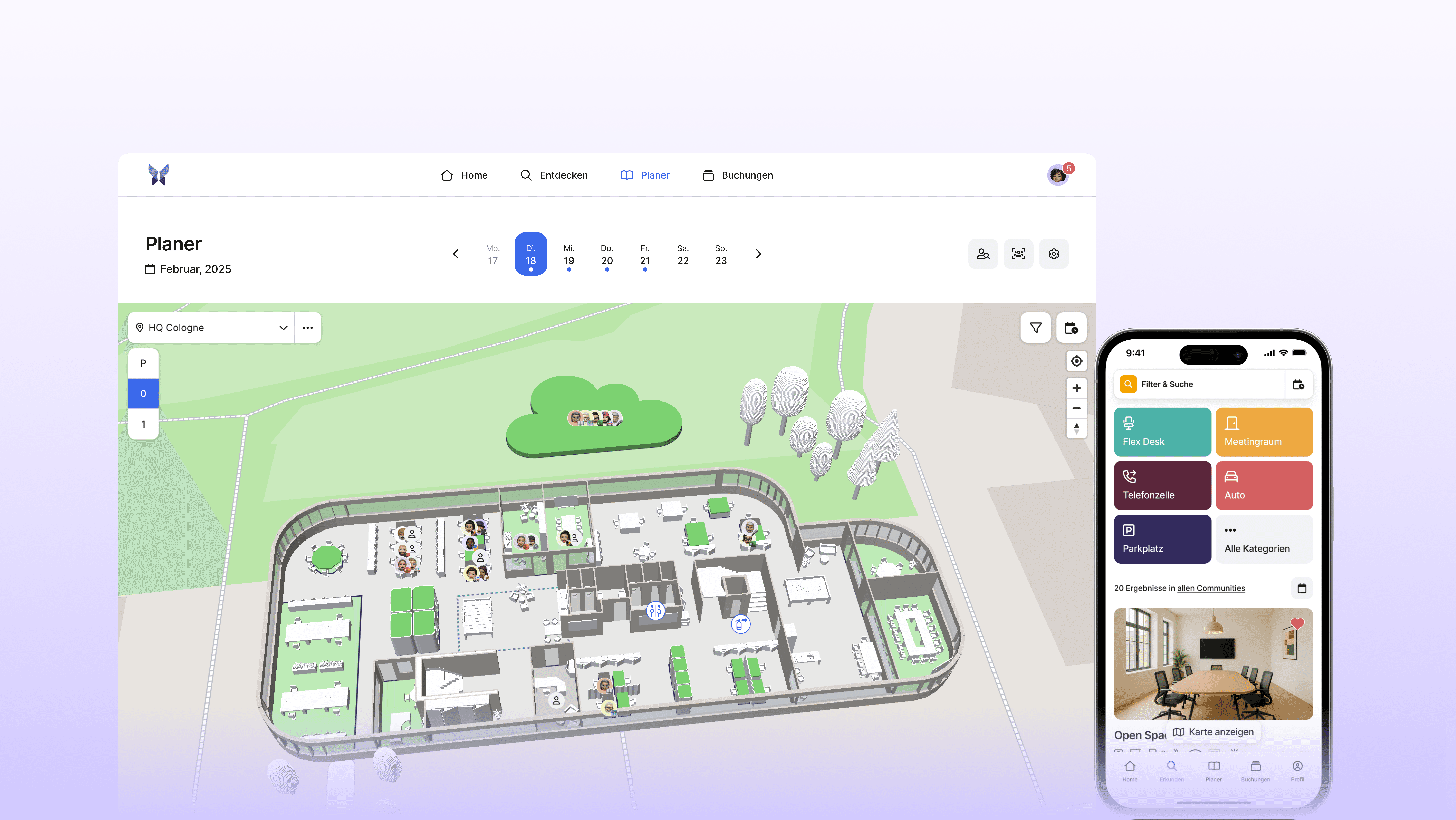
anny is a platform for flexible workspace management in a hybrid work environment. It assists companies in efficiently managing workspaces, rooms, parking spots, equipment, and other shared resources. Through an intuitive booking feature, employees can reserve exactly what they need for productive work, whether in the office or remotely. With anny, access rights can be precisely controlled through groups (Communities), while individually configurable booking rules offer maximum flexibility. Integration with MS Teams and Outlook ensures a seamless workflow in daily work.
Key features
Interactive 3D Map
Mobile app for booking workspaces from anywhere
Intuitive weekly planner
Visitor management including badge printing
Fully integrable with Microsoft Suite (MS Teams App and Outlook Add-In)
Diverse integration options from calendars to smart locks
External booking pages for events
Advantages
Very user-friendly and intuitive
Robust integrations (Google Calendar, Microsoft 365, etc.)
Very wide range of resources, including external ones, can be represented
Personal support that truly assists
Pricing
The pricing of anny is based on the number of bookable resources, regardless of the number of users. The Starter Plan is free and includes up to five resources. For more extensive needs, the paid plans start at €5 per resource. This usage-based model is particularly advantageous as companies only pay for what they actually use and can quickly adapt to changes.
2.
Envoy
Envoy is a workplace management platform that helps companies manage desk and room reservations, visitor registrations, deliveries, and access control through a single interface. Thanks to the combination of booking tools, visitor flows, and integrations with calendars, SSO providers, and access systems, Envoy is a popular choice for companies looking to streamline their workflows and enhance the on-site experience.
Key features
Desk, parking, and meeting room booking
Visitor management with pre-registration and check-in processes
Interactive workspace maps
Integrations with calendar systems, SSO, and access control
Mobile app for bookings and check-in
Workspace analytics and usage insights
Pros
Comprehensive features for workplace management on a central platform
Powerful features for access control and visitor security
Extensive library with integrations for enterprise tools
User-friendly mobile app
Pricing
Envoy Workplace offers three paid plans that are billed per active user per month, based on annual payment terms. Prices range from 3, 5, or 7 USD per active user, depending on the plan. Due to user-based billing, this model can lead to higher total costs for larger teams or fluctuating usage.
3.
PULT
PULT is a platform for workplace management that enables digital management of workspaces, meeting rooms, parking spaces, and visitors. Bookings can be easily managed using 2D floor plans, rules, and approvals. The solution integrates with Outlook, Google Calendar, MS Teams, Slack, and HR systems, and supports SSO as well as APIs in higher plans. Additionally, there are features for visitor management, digital signage, occupancy analytics, and GDPR-compliant usage.
Key features
Table and Meeting Room Reservations
Parking Space Booking with Interactive Map
Visitor Management
Integration with Outlook, Google Calendar, MS Teams & Slack
Access and Booking Rules Including Approval Processes
Utilization and Usage Analytics
Pros
Comprehensive platform for hybrid work: Desks, rooms, visitors, and parking spaces in one tool
Real-time utilization and automatic check-ins
High integration variety
Intuitive and interactive office floor plans
Pricing
The pricing structure of PULT is divided into several plans. The Starter Plan starts at €1.90 per user per month and is primarily aimed at smaller teams. Additionally, there are the Growth, Business, and Enterprise plans, each of which is individually priced, and prices are available upon request. A permanently free version is not offered, but companies can try out PULT during a limited free trial period before deciding on a paid plan.
4.
Robin
Robin is a platform for Workplace Experience that helps companies optimize the use of office spaces by employees. This is achieved through desk reservations, room scheduling, interactive maps, and workplace analytics. Robin is designed for hybrid work environments and enables employees to easily find and reserve workspaces. At the same time, administrators receive data that allows them to make informed decisions about space planning.
Key features
Table and Meeting Room Reservations
Interactive 2D Floor Plans
Visitor Registration and Management
Calendar Integration with Google Workspace and Microsoft 365
Mobile App for Reservations on the Go
Workspace Analytics and Utilization Reports
Pros
Clear, intuitive user interface
Detailed occupancy data
Visitor management including badge printing
Seamless calendar integrations
Pricing
No public information available.
5.
Skedda
Skedda is a cloud-based solution for space and area management that allows companies to centrally manage rooms, workspaces, and other resources. Users independently book online, view real-time availability, and select the appropriate space through interactive layouts. Administrators control booking rules, opening hours, quotas, and approvals, set prices, and manage roles and permissions. Integrations with calendar and identity systems, as well as reports, notifications, and optional online payments, complete the range of features.
Key features
Desk and meeting room reservation
Floor plans with live availability
Two-way calendar synchronization (Microsoft 365 and Google Workspace)
Visitor management
Occupancy and usage analysis
Pros
Interactive floor plans with live availability and direct booking on the map
Granular rules and roles
Built-in visitor management for smooth check-in to check-out
Workplace analytics with dashboards on occupancy, usage behavior, and trends
Pricing
Skedda offers package-based pricing, tiered according to feature set and organization size. You can choose between monthly and annual billing with discounts for annual payments. Higher tiers include advanced management features, integrations, and priority support, while enterprise conditions are agreed upon individually. A non-binding trial period makes getting started easy.
Why should you compare Workspace Management Software?
Every organization has individual requirements for its workplace management. Comparing different systems helps in finding a solution that optimally fits your operational workflows in the key areas:
Extended Functionality: Companies looking to centrally manage not just workspaces, but also rooms, events, visitors, or resources, benefit from workspace management solutions that go beyond classic booking functions and cover all space utilization processes.
Processes & Automation: If you need complex approval workflows, custom forms, or public booking pages with payment options, flexible systems with customizable process logics are ideal for your workspace management.
Integrations & Interfaces: Depending on the existing system landscape (e.g., HR, Identity, or Collaboration tools), a solution with broad API and integration support can be crucial for efficiently linking data flows.
Value for Money & Scalability: A targeted comparison helps find the best balance of functional diversity, user-friendliness, and support, and ensures that the workspace management system can grow with your company.
Data Protection & Hosting: GDPR compliance, data sovereignty, and secure hosting locations remain central selection criteria. Especially companies focusing on European data protection standards should carefully verify which providers meet these requirements.
The next step: Discover your perfect workplace management system
You now have an overview of the best Workplace Management Systems 2025; use it to plan your next steps. Consider which solutions best meet your company's requirements, and then schedule a demo or trial of your favorites.
This way, you'll quickly find out which system truly integrates seamlessly into your processes and makes your workday more efficient. If you are looking for a flexible, user-friendly, and GDPR-compliant Workplace Management solution, it's worth trying out anny—modern, intuitive, and perfect for hybrid work environments.





" height="38px" id="bH388uk2E" transform="translate(1 1)" width="118.00000395534607px"/></svg>)