

Amira van Weegen
Marketing Manager
January 3, 2026
How Much Office Space Per Employee: The Complete Guide for 2026
7 min
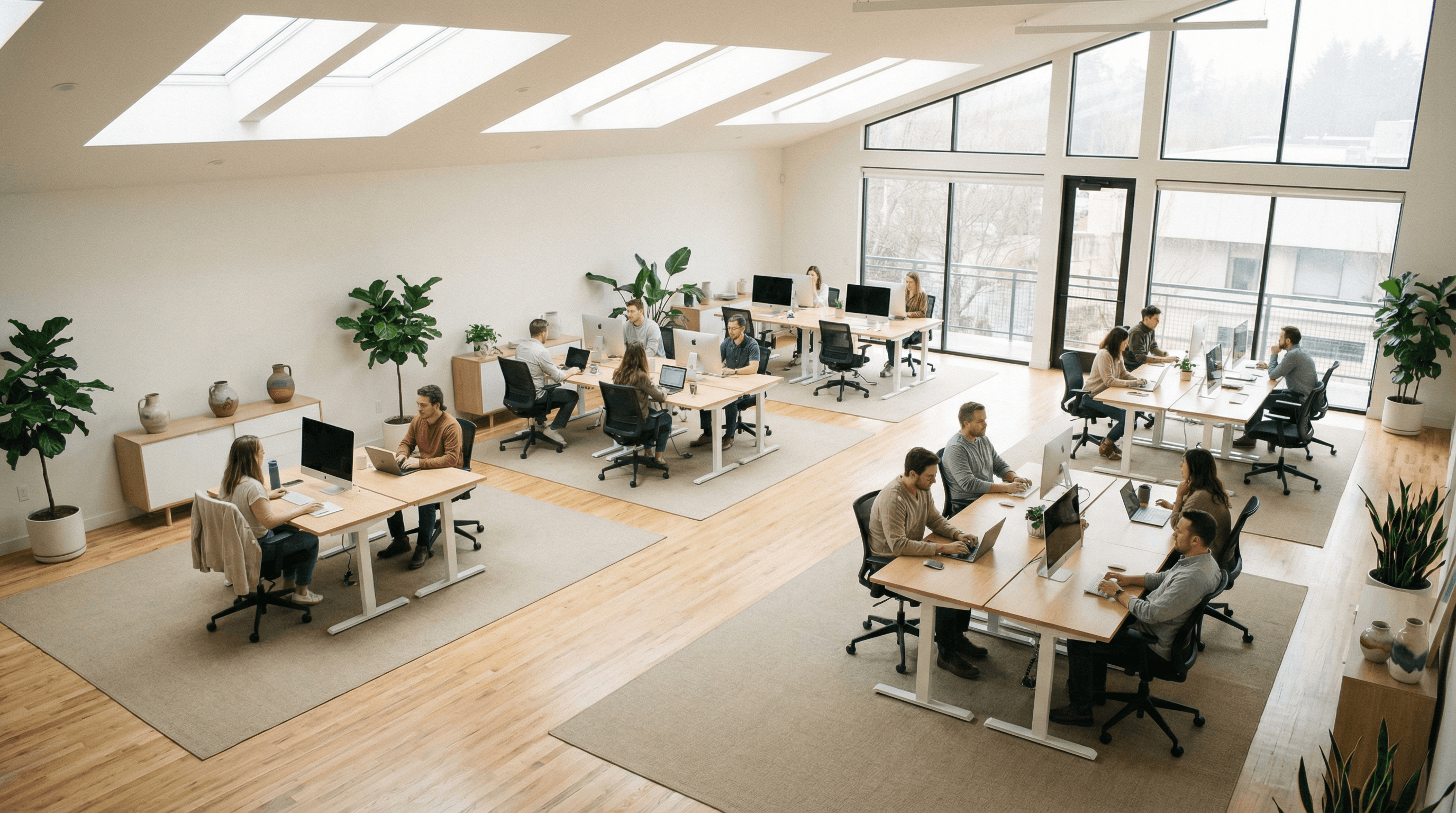
How Much Office Space You Really Need Per Employee: The Essential Guide 2026
The question of how much office space you should allocate per employee is more complex than ever. Legal regulations like ASR A1.2 provide important guidance but often fall short for modern work environments. Current office standards not only consider ergonomic requirements but also different office types, work styles, and team dynamics.
With hybrid working models, the actual utilization of workspaces is also changing. When not everyone is in the office every day, there is an opportunity to plan space more efficiently and tailor it better to your team's needs. Desk sharing and flexible workplace concepts help you identify the real need, instead of sticking to outdated space models.
Realistic planning today is data-driven. Workplace and resource booking systems show you how often workstations and rooms are actually used and where optimization potentials are hidden. This way, you plan office spaces based on actual workflows and usage habits, rather than intuition.
Why the Right Office Space is Essential
A well-planned office space directly impacts how focused, motivated, and efficient your team can work. Too little space quickly leads to unrest, lack of privacy, and decreased productivity. On the other hand, too much unused space appears empty, diminishes the atmosphere, and incurs unnecessary costs that become significantly noticeable in the long run.
To find the right balance, you need an understanding of how work practices have changed. Hybrid models, flexible working hours, and diverse team configurations mean that spaces are used very differently today. Employees are no longer in the office every day, resulting in varied space requirements, movement areas, and usage profiles.
That's exactly why the right office space is so important: it forms the foundation for ergonomic work, good collaboration, and economically sensible use of space. Thoughtful planning helps you structure spaces to support both focused work and collaboration, meetings, and creative processes.
Quick Response: The minimum office space per employee
According to ASR A1.2 "Room Dimensions and Movement Areas", at least 8 m² of floor space is legally required for the first workstation and 6 m² for each additional workstation.
However, higher values are recommended in practice:
10-12 m² per workstation
An additional 25-40% for traffic routes and communal areas
These guidelines consider not only the pure workspace, but also movement areas, storage, and functional areas for work equipment, as well as proportional spaces for furnishings like cabinets and office containers.
However, it should be noted that these numbers do not take into account desk sharing or hybrid work models. Not every employee needs a workspace in this model, so these numbers provide only a very rough guideline. For an exact calculation of office space, office space calculators that consider desk sharing and even demonstrate the savings potential of it are suitable.
Legal minimum requirements according to ASR A1.2
The Workplace Ordinance (ArbStättV) forms the legal basis for office space planning in Germany. The specific implementation is governed by ASR A1.2 "Room Dimensions and Movement Areas," one of the most important technical rules for workplaces.
Floor Space Requirements According to ASR A1.2
The legal minimum requirements are clearly defined:
First workspace: at least 8 m² of floor space
Each additional workspace: an additional at least 6 m²
Movement area: at least 1.5 m² per workspace
Workspace dimensions: depth and width each at least 1.0 m
These values are non-negotiable and constitute the absolute minimum for any office planning. Important: The movement areas must not overlap with traffic routes or other necessary safety distances.
Room Height Requirements
The room height varies depending on the office size:
Office area | Minimum height |
|---|---|
up to 50 m² | 2.50 m |
over 50 m² | 2.75 m |
over 100 m² | 3.00 m |
over 2,000 m² (open-plan office) | 3.25 m |
Traffic Routes and Escape Routes
Escape routes: at least 0.9 m wide
Access to windows: at least 0.6 m wide
Main traffic routes: depending on the number of people
The staggered height requirements take into account that larger rooms require more air volume and the psychological effect of adequate room height increases with more employees.
Guidelines for Different Office Formats
Legal minimum requirements often fall short in practice when it comes to creating a productive and pleasant work environment. Here are the recommended guidelines for different office types:
Office Type | Space per Person | Special Features |
|---|---|---|
Single Office | 10-12 m² | Includes desk, cupboard, visitor chair |
Cell Office (2-4 people) | 10-12 m² | Shared traffic areas |
Team Office (5-6 people) | 12-14 m² | Increased interaction, noise protection |
Open Plan Office | 12-15 m² | Additional traffic routes, retreat areas |
Open Space Office | 12-15 m² | Flexible areas, collaboration zones |
Single Offices and Cell Offices
Single offices require 10-12 m² per person for optimal use. This area includes:
Desk and ergonomic office chair
Mobile pedestal and cupboard for personal items
Visitor chair for meetings
Sufficient movement area for ergonomic work
In cell offices with multiple workstations, employees can share traffic areas, so the guideline remains at 10-12 m².
Team Offices (2-6 People)
Team offices require 12-14 m² per person due to increased interaction between teams. Additional considerations:
Shared working areas for project work
Retreat options for focused work
Noise protection through intelligent space layout
Flexible furniture for changing work styles
Open Plan Offices
Open plan offices with a floor area of 400 m² or more require 12-15 m² per workstation. The increased space requirement is due to:
Extensive traffic routes between work groups
Additional spacing for noise protection and privacy
Communal areas and retreat spaces
Flexible zones for different working styles
Impact of hybrid work models on office space requirements
The world of work has fundamentally changed. Hybrid work models, where employees alternate between office and home office, present significant opportunities for space optimization.
Change in Workplace Utilization
Recent studies show typical attendance rates:
Full-time office employees: 60-80% attendance
Hybrid teams: 40-60% daily office presence
Project teams: highly variable presence depending on project phase
This development requires a shift from rigid, person-specific workplaces to flexible, shared resources.
Desk Sharing as a Solution
Desk sharing allows multiple employees to share workspaces. Successful implementation requires:
Digital workspace reservation for planned usage
Standardized workspaces with uniform IT equipment
Personal lockers for individual items
Clean Desk Policy for hygienic and tidy workspaces
Space Savings through Hybrid Use
Companies can save 20-40% of office space with well-planned hybrid models. The exact savings depend on:
Consistency of home office days
Effectiveness of the booking system
Employee acceptance
Quality of technical infrastructure
The exact amount of space that can be saved can be determined using the office space calculator.
Important: The saved space should be partially invested in high-quality collaboration areas, retreat zones, and modern technology to enhance work quality.
Data-driven planning for optimal office space utilization
The key to successful office space optimization lies in the systematic capture and analysis of real usage data. Only when companies can track how workspaces, meeting rooms, and other areas are actually utilized can they make informed decisions and plan spaces efficiently. Modern technologies support the reliable and continuous capture of this data.
Tools and Methods for Data Collection
An approach that has proven effective in many companies is using a centralized workplace management system. A solution like anny allows for the consolidation of all relevant usage data in one place, making it automated and easily analyzable.
Automated Data Collection & Evaluations
anny collects all booking and usage data in the background and clearly processes it:
Utilization analyses for workplaces and rooms
Usage patterns by days, times, teams or areas
No-show rates and cancellation statistics
Popularity and preference analyses for workplace and room types
This information provides clear recommendations for action to optimally size spaces and further develop them in a targeted manner.
Intuitive Booking for Employees
The data foundation is created automatically in daily business: Through simple booking via app or browser, all usage information flows directly into the system.
Quick reservation of workplaces and meeting rooms
Overview of available spaces and equipment
Automatic update of all booking and usage data
Flexibly Configurable & Integrable
anny can be seamlessly adapted to existing structures:
Integration into IT and calendar systems
Individually configurable booking rules
Support for multiple locations
Supplementary Employee Feedback
In addition to quantitative data, qualitative insights can also be gathered, for example through:
Surveys on workspace preferences
Requests for equipment and services
Satisfaction with the current office environment
The combination of usage measurement and employee feedback provides a comprehensive picture of the actual needs in the office.
Actionable Recommendations for Businesses
Optimizing office space requirements is a strategic process that should be approached gradually and data-driven.
Step-by-Step Implementation of Hybrid Work Models
Phase 1: Analysis and Pilot Testing (3-6 months)
Record current workspace usage
Select pilot teams for hybrid work models
Define clear rules for office presence and remote work
Implement digital booking systems
Phase 2: Optimization and Scaling (6-12 months)
Evaluate pilot data
Adjust office equipment based on insights
Train employees in new work models
Gradual expansion to other teams
Phase 3: Establishment and Continuous Improvement
Regular utilization analyses
Adjust space allocation based on data
Continuous employee surveys
Technical advancement of booking systems
Launch Pilot Projects for Desk Sharing
Successful desk-sharing projects start with:
Selecting suitable teams: Mobile employees or teams with a high remote work rate
Clear communication: Transparent explanation of goals and benefits
Technical preparation: Standardized IT equipment and cloud infrastructure
Feedback loops: Regular surveys and adjustments based on feedback
Optimization through anny’s Booking Solutions
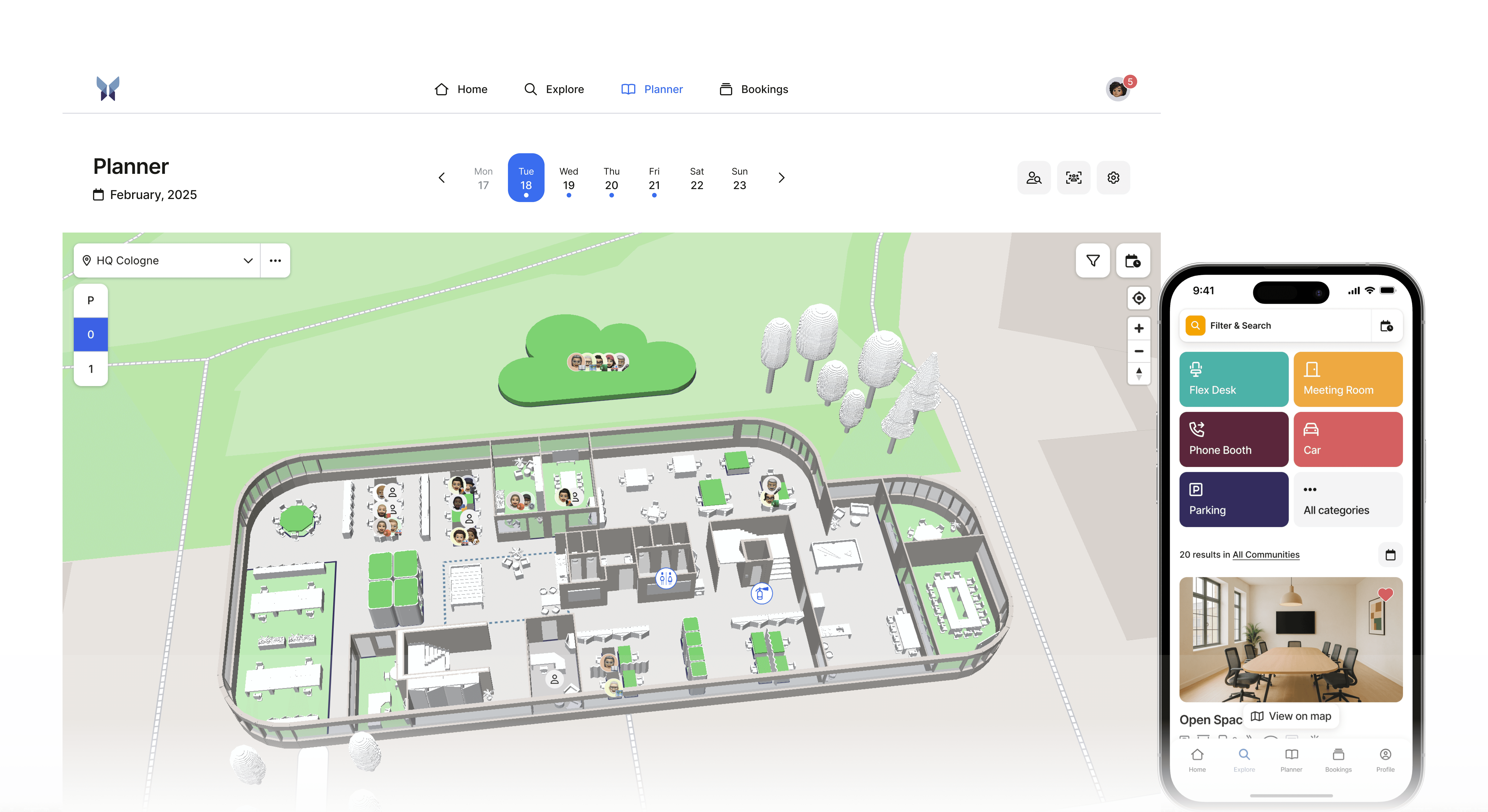
anny offers comprehensive solutions for data-driven optimization of office space:
Workspace and Room Booking:
Intuitive user interface for easy reservations
Real-time overview of available workspaces and rooms
Mobile app for on-the-go bookings
Integration with Outlook and other calendar systems
Utilization Reports for Informed Decisions:
Detailed analyses of workspace usage
Configurable dashboards for various stakeholders
Automated reports for regular review
Export functions for further data analysis
Integration of Hybrid Work Models:
Flexible booking rules for each team and role
Waiting lists in case of overbooking
Representation of remote work
Scalable Solutions for Any Business Size:
From start-ups to large corporations
Modular setup according to needs
Multiple locations on one platform
Multi-tenancy for different business units
FAQs
What happens if the legal minimum space requirements are not met?
Compliance with ASR A1.2 is monitored by professional associations and occupational safety authorities. Non-compliance can lead to fines or even operational bans. Employers must demonstrate in the risk assessment that the space standards are met. If these standards are not met, special risk assessments are required to prove that there is no increased health risk.
How do I calculate office space with a fluctuating number of employees?
Plan with the maximum expected number of employees for the coming year, but also consider flexible office solutions. Hybrid work models with desk sharing allow you to limit space requirements even with growth. Use historical utilization data to determine realistic peak loads and plan for a 10-20% buffer for unforeseen circumstances.
What additional spaces should I plan aside from workstations?
In addition to workstations, you need spaces for: meeting rooms (approximately 1 room per 8-10 workstations), kitchen and break areas, sanitary facilities, reception area, storage and archive spaces, server or tech rooms. As a rule of thumb, plan for a 25-40% markup on the pure workstation area, depending on the company size and industry.
Can desk sharing allow me to drop below the legal minimum requirements?
No, the legal minimum requirements of ASR A1.2 apply to every used workstation, whether it is shared or not. If 20 people share 15 workstations, those 15 stations must still meet the minimum requirements. Desk sharing reduces the number of required workstations, not the space requirements per station. The savings lie in the reduced total number of workstations with the same number of employees.
How often should I analyze and adjust office space usage?
Continuous monitoring with monthly brief reports and quarterly detailed analyses is recommended. Major adjustments should be reviewed at least biannually. After implementing new work models, monthly evaluations are initially sensible, allowing quick optimization. Long-term strategic space planning should be reviewed annually and adjusted in case of major organizational changes.
Conclusion: The right office space begins with real data and the perfect solution
The question of how much office space per employee is really needed can no longer be answered generally today. Legal minimum requirements provide an important foundation, but modern work environments, hybrid models, and changing team structures require an individual and data-driven approach.
Anyone who wants to realistically plan their office space needs transparency: regarding how workspaces are actually used, which types of rooms are truly in demand, and how attendance patterns change throughout the year. Only in this way can costs be reduced, work quality improved, and spaces created that truly support teams.
This is where a desk sharing system like anny helps. With intuitive booking, automated utilization analyses, and flexible rules for hybrid work models, anny provides all the data companies need for sound, modern space planning, centrally, clearly, and without additional effort.
Would you like to learn more about how to save office space with anny? Then book a demo here.






" height="38px" id="bH388uk2E" transform="translate(1 1)" width="118.00000395534607px"/></svg>)