



Fully integrate anny into your Microsoft Suite
Integrate Microsoft 365 with the booking system from anny and keep an eye on all your bookings and resources at any time.
About Microsoft 365
Microsoft provides software, hardware, and cloud solutions for businesses and individuals. With tools like Windows, Office 365, and Microsoft Teams, it supports productive work and seamless collaboration.
Sync bookings and avoid double appointments
With the Microsoft 365 integration, all availabilities are always up-to-date. Double bookings are avoided, and your team plans significantly more efficiently.
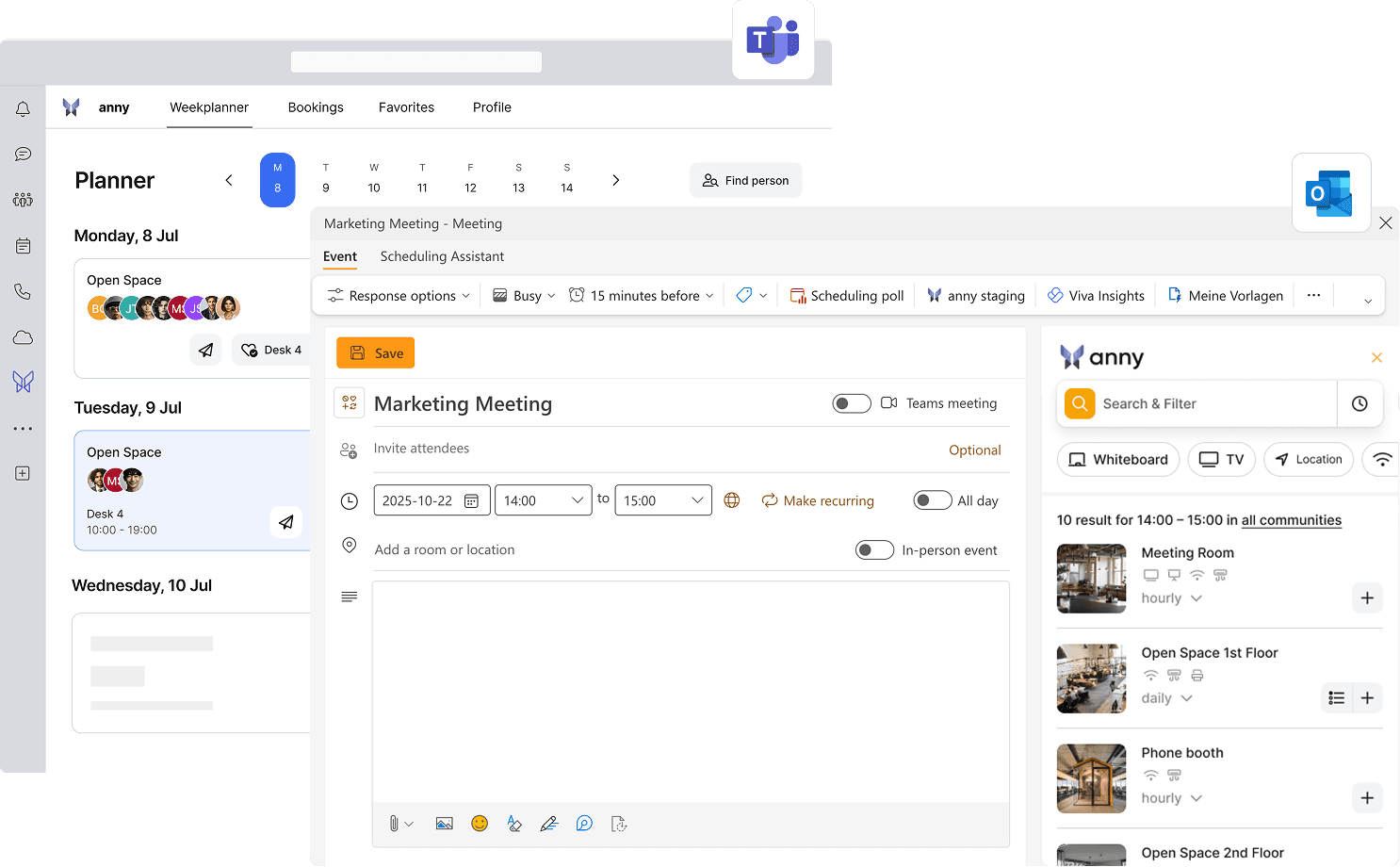
Book directly in MS Teams & Outlook
Simplify access to anny with Single Sign-On (SSO) and use all features directly in Outlook and MS Teams. Your employees can now log in without any extra effort and manage their bookings where they work daily. This way, every schedule remains centrally organized.
2-way calendar synchronization
All bookings and appointments are synchronized in real-time between anny and Outlook. Bookings of your anny resource are automatically entered in the Outlook calendar. Appointments created in the Outlook calendar appear as blockers in anny and can be edited or deleted there.
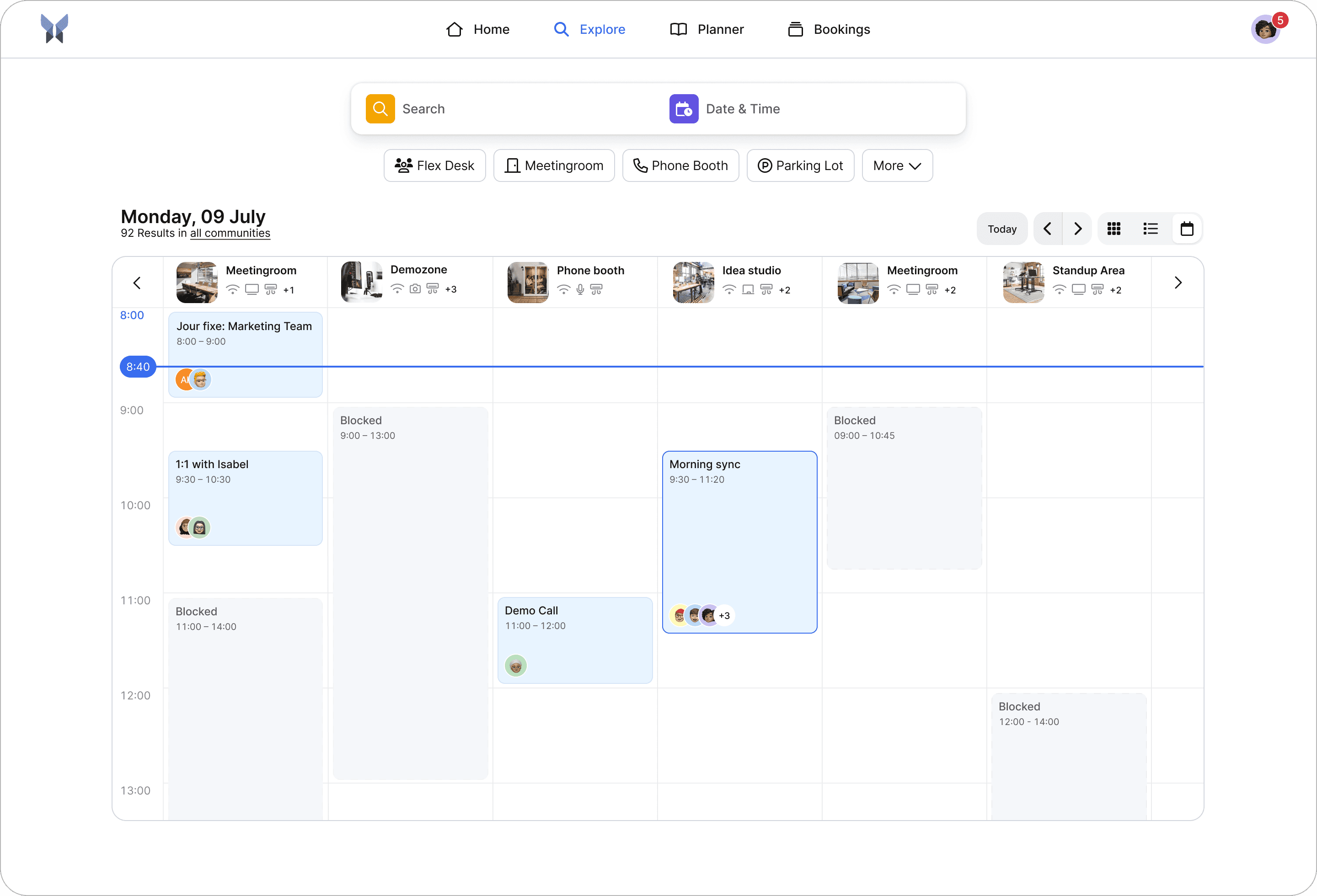
How it works, step by step
Log in with M365 admin account
Select the M365 integration in the anny admin area
Click authorize
Once your account is connected, you can add rules and assign resources to each other. Choose the corresponding Outlook resource for your anny resource.






Try for free
Try anny for yourself and discover how easy digital resource management can be. Test all features with no obligation and see how anny makes your day-to-day work more efficient from the start.






